Instrukcja obsługi Elite Screens Manual 139" M139UWX
Elite Screens Ekran projekcyjny Manual 139" M139UWX
Przeczytaj poniżej 📖 instrukcję obsługi w języku polskim dla Elite Screens Manual 139" M139UWX (3 stron) w kategorii Ekran projekcyjny. Ta instrukcja była pomocna dla 20 osób i została oceniona przez 3 użytkowników na średnio 4.7 gwiazdek
Strona 1/3
060817-DR www.elitescreens.com 1
Manual Pull-Down Projection Screen
Elite Manual Series
USER’S GUIDE
Pre-installation
1. Carefully unpack the screen.
2. Always handle the screenin a leveled position on a clean surface.
INSTALLATION
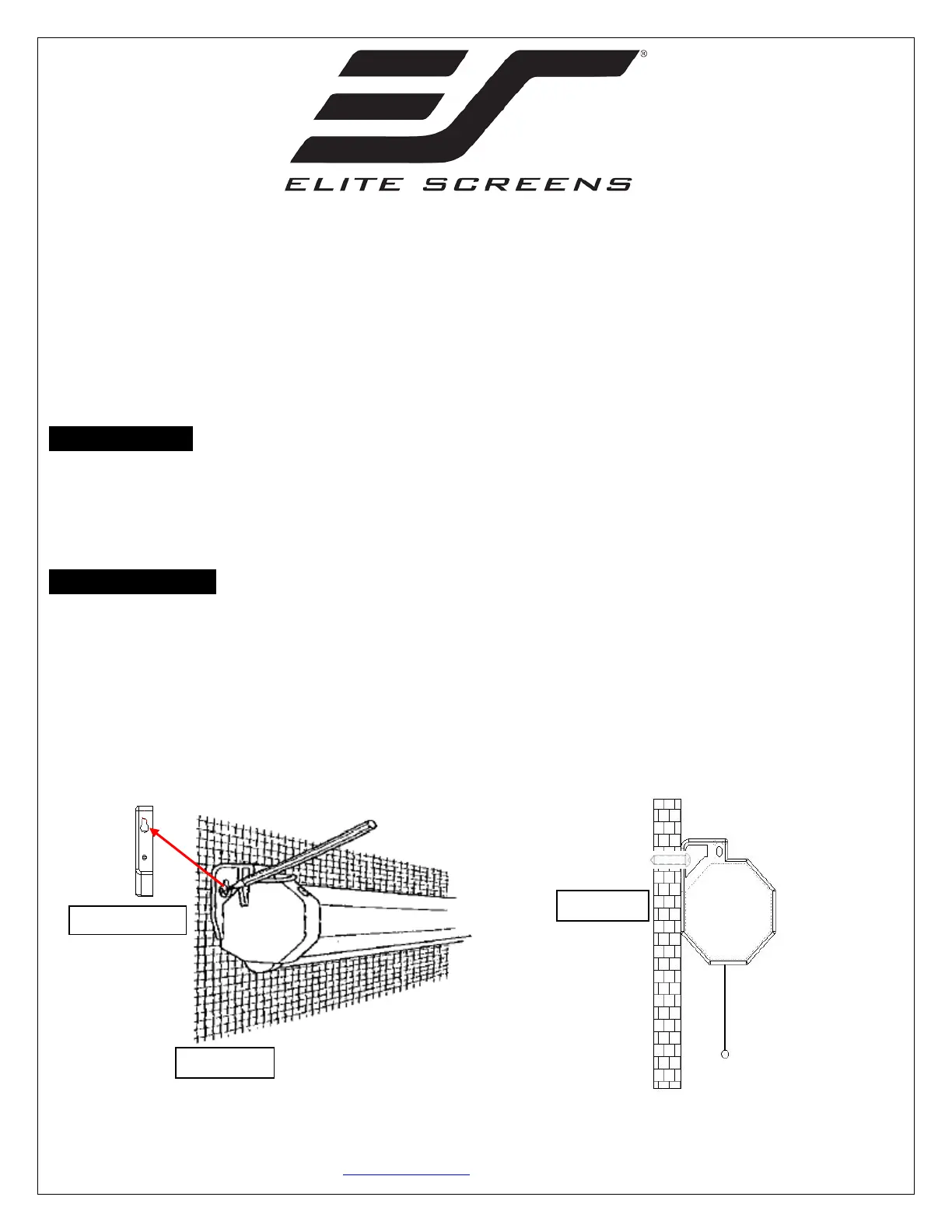
Flush Wall Mounting
1.Measure the distance between the keyholes located on the back of the end cap
2.Mark the location of where the screen is to be installed for the pre-drilled hole.
3.After marking the area and drilling the hole, insert the proper screw into the drilled hole and leave
about 1/8” of an inch from the wall to mount the screen.
4.Mount your screen from the keyhole located on back of screen’s left and right end cap.
Back of end cap
Front view
Side view
Specyfikacje produktu
| Marka: | Elite Screens |
| Kategoria: | Ekran projekcyjny |
| Model: | Manual 139" M139UWX |
Potrzebujesz pomocy?
Jeśli potrzebujesz pomocy z Elite Screens Manual 139" M139UWX, zadaj pytanie poniżej, a inni użytkownicy Ci odpowiedzą
Instrukcje Ekran projekcyjny Elite Screens

24 Września 2024
24 Września 2024
24 Września 2024
24 Września 2024
24 Września 2024
24 Września 2024
24 Września 2024
24 Września 2024
24 Września 2024
Instrukcje Ekran projekcyjny
Najnowsze instrukcje dla Ekran projekcyjny
3 Kwietnia 2025
3 Kwietnia 2025
2 Kwietnia 2025
28 Stycznia 2025
11 Października 2024
8 Października 2024
8 Października 2024
7 Października 2024
6 Października 2024
5 Października 2024