Instrukcja obsługi Extron DVI DA
Przeczytaj poniżej 📖 instrukcję obsługi w języku polskim dla Extron DVI DA (5 stron) w kategorii odbiornik. Ta instrukcja była pomocna dla 52 osób i została oceniona przez 9 użytkowników na średnio 4.2 gwiazdek
Strona 1/5
1
DVI DA2 and DVI DA 4 • User Guide
This guide describes the installation and operation of the Extron DVI DA2 and DVI DA4 Distribution Ampliers. Unless stated
otherwise, “distribution amplier” or “the unit” in this guide refer to both models.
About the DVI DA2 and DVI DA4
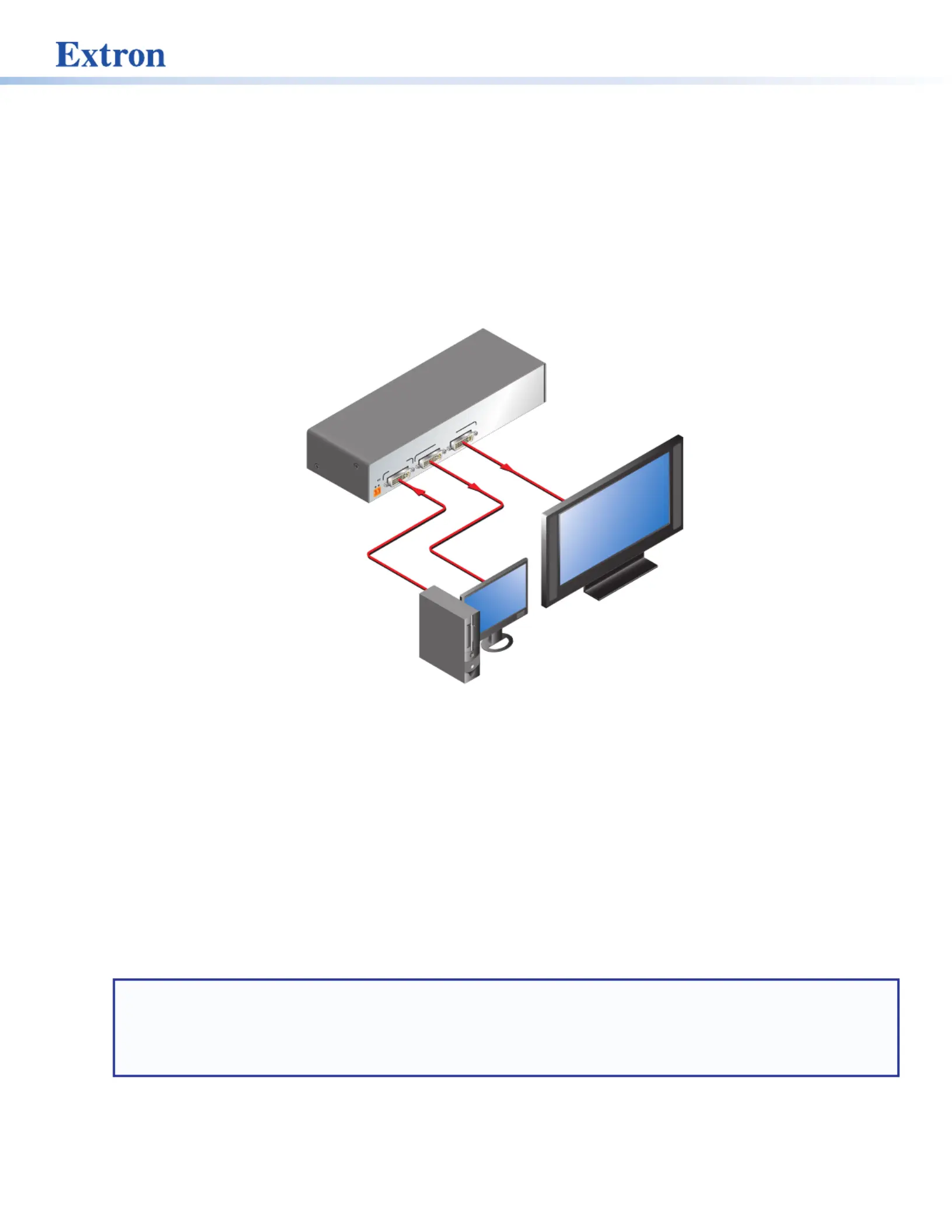
The Digital Visual Interface (DVI) Distribution Ampliers (DAs) have one input and either two (DVI DA2) or four (DVI DA4) outputs.
Output 1 for each model is for a local monitor and is used for Digital Display Channel (DDC) reference.
Both distribution ampliers accept one single link DVI-D input and drive two (DVI DA2) or four (DVI DA4) single link DVI-D output
signals.
12V
0.4A MAX
POWER
DVI-D INPUTDVI-D OUTPUT
12
DVI DA2
Ext
ron
DV
I 2DA
Dist
ribution Armplie
PC
w/ DVI Otutpu
Locaorl Monit
Flat Panel Display
w/ DVI tInpu
Figure 1. DVI DA2 Application Diagram
DVI DA2 and DVI DA4 Features
• External power supply — The DVI DA2 and DVI DA4 are powered by an external 12VDC power supply (provided with the
units).
• DVI-D input — Both distribution ampliers accept one single link DVI-D input with a range of resolutions up to 1920 x 1200
or 1080p @ 60 Hz.
• Input equalization — Input Equalization (EQ) conditions the input signals to ensure the integrity of the signals delivered to
the output devices.
• DVI-D outputs — The units drive two (DVI DA2) or four (DVI DA4) single link DVI-D output signals.
• DDC routing to the local monitor — Output 1 is used as a DDC reference and is labeled “Local Monitor” for easy reference.
The video source uses the bidirectonal DDC to communicate with the local monitor, which allows the source to determine the
resolution and refresh rate of the signal that it sends.
NOTES:
• Since output 1 is used as the reference, all other display devices must be capable of handling resolutions equal to or
greater than that of the local monitor.
• The actual signal transmission distance can vary greatly and depends on signal resolution, cable type, cable quality,
graphics card, and the display used in the system.
• Versatile mounting options — Both units are 1U high, 3 inches (7.62 cm) deep, and 1/2rack (8.7 inches or 22.1 cm) wide,
allowing them to be conveniently mounted in a rack, mounted under a desk, or set on a tabletop.
Specyfikacje produktu
| Marka: | Extron |
| Kategoria: | odbiornik |
| Model: | DVI DA |
Potrzebujesz pomocy?
Jeśli potrzebujesz pomocy z Extron DVI DA, zadaj pytanie poniżej, a inni użytkownicy Ci odpowiedzą
Instrukcje odbiornik Extron

10 Marca 2025
9 Października 2024
9 Października 2024
9 Października 2024
9 Października 2024
9 Października 2024
9 Października 2024
9 Października 2024
9 Października 2024
9 Października 2024
Instrukcje odbiornik
Najnowsze instrukcje dla odbiornik
9 Kwietnia 2025
9 Kwietnia 2025
5 Kwietnia 2025
4 Kwietnia 2025
3 Kwietnia 2025
2 Kwietnia 2025
2 Kwietnia 2025
1 Kwietnia 2025
30 Marca 2025
30 Marca 2025