Instrukcja obsługi KeySonic KSK-3023BT
KeySonic klawiatura KSK-3023BT
Przeczytaj poniżej 📖 instrukcję obsługi w języku polskim dla KeySonic KSK-3023BT (2 stron) w kategorii klawiatura. Ta instrukcja była pomocna dla 12 osób i została oceniona przez 8 użytkowników na średnio 4.8 gwiazdek
Strona 1/2
... touch the difference
KSK-3023BT
Kurzanleitung
Manual
Manuel d’Utilisation
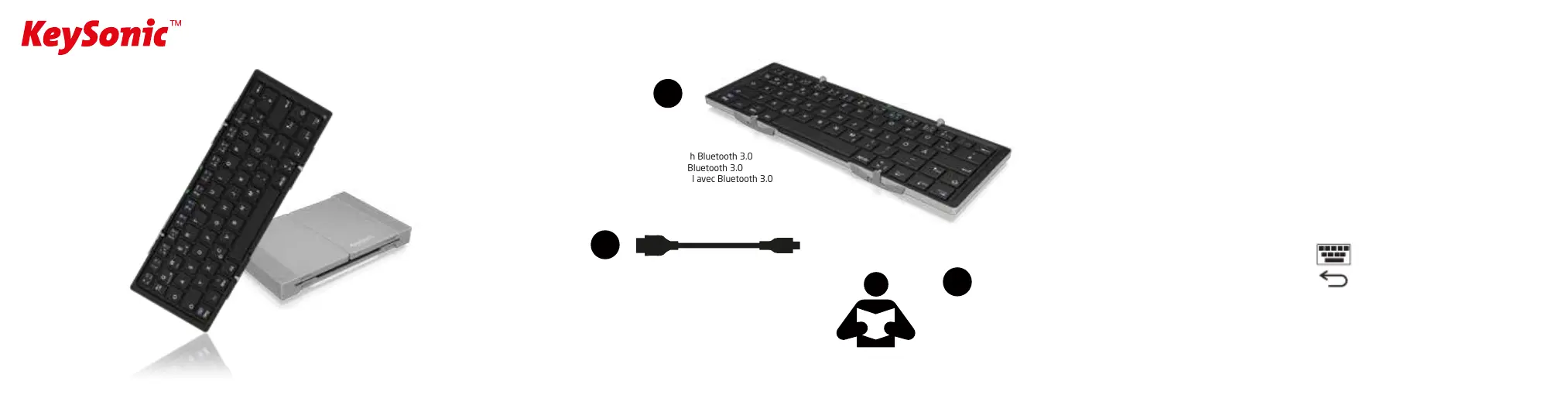
Verpackungsinhalt
Package Content
Contenu de l'emballage
KSK-3023BT
Mini-Keyboard with Bluetooth 3.0
Mini-Tastatur mit Bluetooth 3.0
Mini-clavier sans fil avec Bluetooth 3.0
Kurzanleitung
Manual
Manuel d’Utilisation
English
1. Key Features
• Wireless keyboard with Bluetooth 3.0 standard
• Especially for use with mobile phone/tablet on trip
• Two-sides foldable for convenient carry
• Automatic power on/o by opening/closing
• Rechargeable lithium battery
• Supports 10 m working distance
• Small size with stable aluminum case
• Standby time up to 200 days
• Light weight, quiet keystrokes
• Energy saving mode
• Fully support of Android, Windows, iOS systems
2. Bluetooth Keyboard Pairing
1) Open the keyboard to turn it on, the green LED will
start to blink and it will turn o after few seconds.
2) Press the "Fn" + "C" Keys together, the blue LED will blink.
3) Open the Bluetooth setting on your iPad/tablets/
smartphones, etc. and select "Bluetooth 3.0 keyboard".
4) Enter the password code as displayed on screen and
press "Enter" to connect.
5) The Bluetooth LED on the keyboard will turn o as the
keyboard is connected.
3. Battery Charging
You can charge the keyboard with a Micro USB cable and a
5V / 500 (or higher) mA power adapter (like mobile phone
power adapter) or a USB 2.0 / USB 3.0 port on a PC/Tablet.
Red LED blinking: Battery too low.
Red LED on: Charging.
Red LED o: Charge finished.
4. Energy Saving Sleep Mode
The keyboard will go to sleep mode when it is inactive for
15 minutes, the “Power” LED will turn o. You can press
any key to reactivate the keyboard.
5. Special Keys and Functions
For special functions please hold the "Fn" ("Fn"+ "Shift"
for Windows) key and then press the the special keys.
Screen keyboard on/o,
only available for iOS.
Back, only available for Android.
Windows
”Fn” + ”F1” ~ ”F12” Multimedia functions
Android / iOS
”F1” ~ ”F12” Multimedia functions only
USB to micro USB charging cable
USB zu micro USB Ladekabel
USB vers micro USB câble de chargement
1
2
3
Specyfikacje produktu
| Marka: | KeySonic |
| Kategoria: | klawiatura |
| Model: | KSK-3023BT |
Potrzebujesz pomocy?
Jeśli potrzebujesz pomocy z KeySonic KSK-3023BT, zadaj pytanie poniżej, a inni użytkownicy Ci odpowiedzą
Instrukcje klawiatura KeySonic

1 Października 2024
1 Października 2024
1 Października 2024
1 Października 2024
1 Października 2024
1 Października 2024
1 Października 2024
1 Października 2024
1 Października 2024
1 Października 2024
Instrukcje klawiatura
Najnowsze instrukcje dla klawiatura
5 Kwietnia 2025
5 Kwietnia 2025
5 Kwietnia 2025
4 Kwietnia 2025
4 Kwietnia 2025
4 Kwietnia 2025
30 Marca 2025
30 Marca 2025
30 Marca 2025
30 Marca 2025