Instrukcja obsługi Smart-AVI LDX-4PS
Smart-AVI przełącznik LDX-4PS
Przeczytaj poniżej 📖 instrukcję obsługi w języku polskim dla Smart-AVI LDX-4PS (2 stron) w kategorii przełącznik. Ta instrukcja była pomocna dla 28 osób i została oceniona przez 4 użytkowników na średnio 4.2 gwiazdek
Strona 1/2
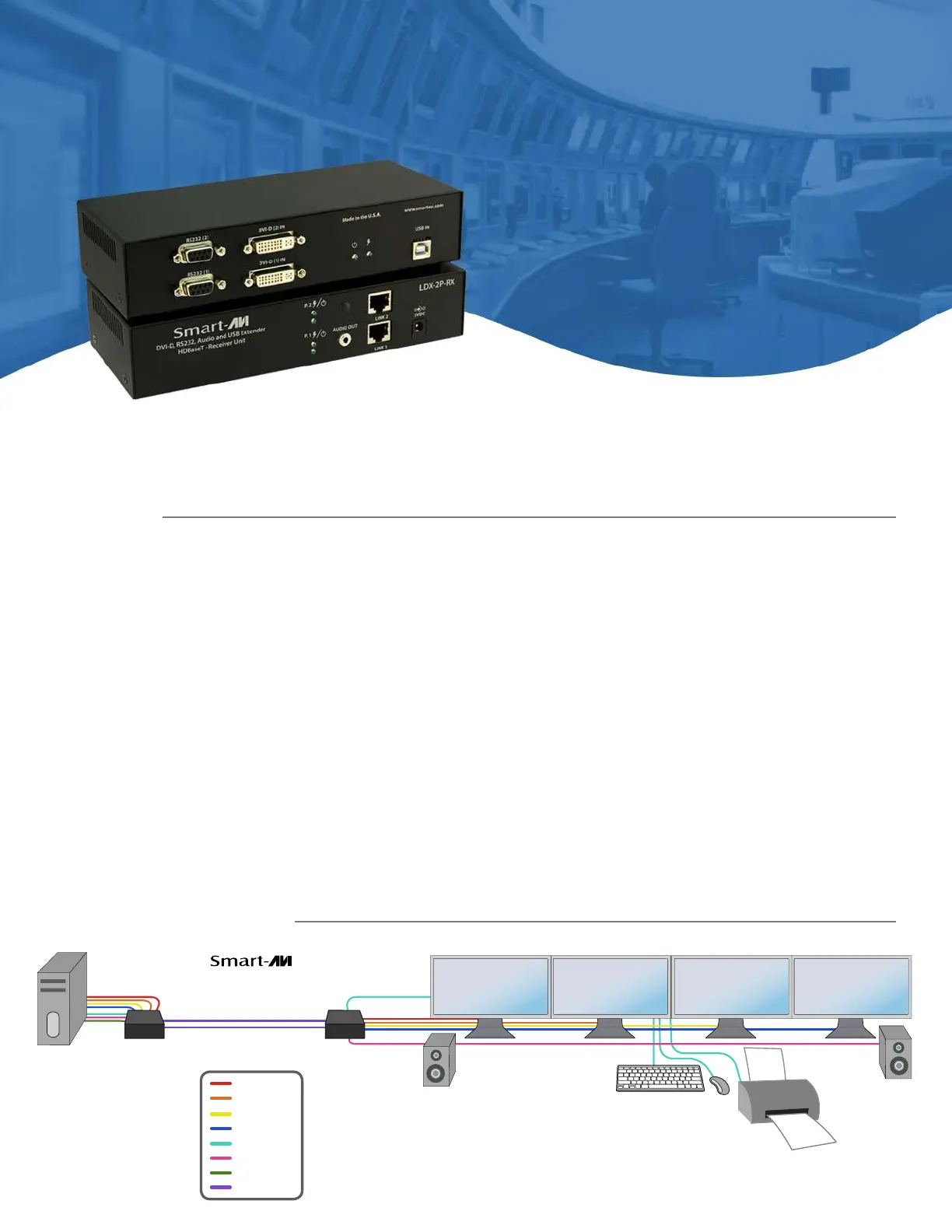
APPLICATION DIAGRAM
FEATURESAPPLICATIONS
•ExtendsdualDVI-Dupto245feetfromthesource
•HDCPSupport
•Supportsupto1920x1200digitalvideoresolution@60Hz
•Supports4K/2K(3840x2160)videoresolution@30Hz
•AutomaticDDCLearning
•USBKeyboardandMouseextension
•UncompressedVideousingHDBaseT
•RS-232extensionallowsforremotecontrolofdisplays
•Externalpoweradapterfortransmitterandreceiverunit
•SupportsStereoSound
•CompatiblewithWindows,MacandLinuxOperatingSystems
•DigitalSignage
•Security
•PCNetworking
•ConferenceCenterSystems
•PointofSale
•CameraSurveillance
•VideoPhone
•ControlRoomSystems
•RecordingStudio
•PCKVMExtension
UsingHDBaseTtechnology,theLDX-4PDVIextenderiscapableofsendingquadDVI-Dsignalsupto245feetoverfour
conventionalandinexpensiveCAT5e/6cables.HDBaseTtechnologyissuperiortoolderDVIextendersthatrequireaspecialCat6
shieldedcabletogoashortdistance.TheLDX-4PalsohasUSBkeyboardandmouse,audioandRS-232extension,givingusersthe
abilitytocontroldisplaysordevicesremotely.
OVERVIEW
Quad Head DVI-D, USB
Keyboard, Mouse and Audio
Extender Over Cat5e/6
Up to 245 ft.
Computer
4P
LDX-
245 ft.
DVI-1
DVI-3
DVI-2
DVI-4
USB
Audio
RS-232
Cat5e/6 Cable
LDX-4P
(Transmitter)
LDX-4P
(Receiver)
LDX-4P
Quad Head DVI-D, Dual RS-232, Audio and USB Keyboard and Mouse Extender
Extend Quad DVI-D, Dual RS-232, USB and Audio up to 245 Feet Over Four Cat5e/6 Cables
Specyfikacje produktu
| Marka: | Smart-AVI |
| Kategoria: | przełącznik |
| Model: | LDX-4PS |
Potrzebujesz pomocy?
Jeśli potrzebujesz pomocy z Smart-AVI LDX-4PS, zadaj pytanie poniżej, a inni użytkownicy Ci odpowiedzą
Instrukcje przełącznik Smart-AVI

7 Stycznia 2025
7 Stycznia 2025
28 Grudnia 2024
28 Grudnia 2024
28 Grudnia 2024
28 Grudnia 2024
28 Grudnia 2024
28 Grudnia 2024
25 Grudnia 2024
25 Grudnia 2024
Instrukcje przełącznik
Najnowsze instrukcje dla przełącznik
9 Kwietnia 2025
9 Kwietnia 2025
7 Kwietnia 2025
5 Kwietnia 2025
4 Kwietnia 2025
4 Kwietnia 2025
4 Kwietnia 2025
3 Kwietnia 2025
3 Kwietnia 2025
2 Kwietnia 2025