Instrukcja obsługi AVer UE1
Przeczytaj poniżej 📖 instrukcję obsługi w języku polskim dla AVer UE1 (3 stron) w kategorii Kamera monitorująca. Ta instrukcja była pomocna dla 39 osób i została oceniona przez 3 użytkowników na średnio 4.8 gwiazdek
Strona 1/3
P/N: 300AB31B-EPV
©
2024 AVer Information Inc. All rights reserved.
UE1 USB Extender
Quick Start Guide
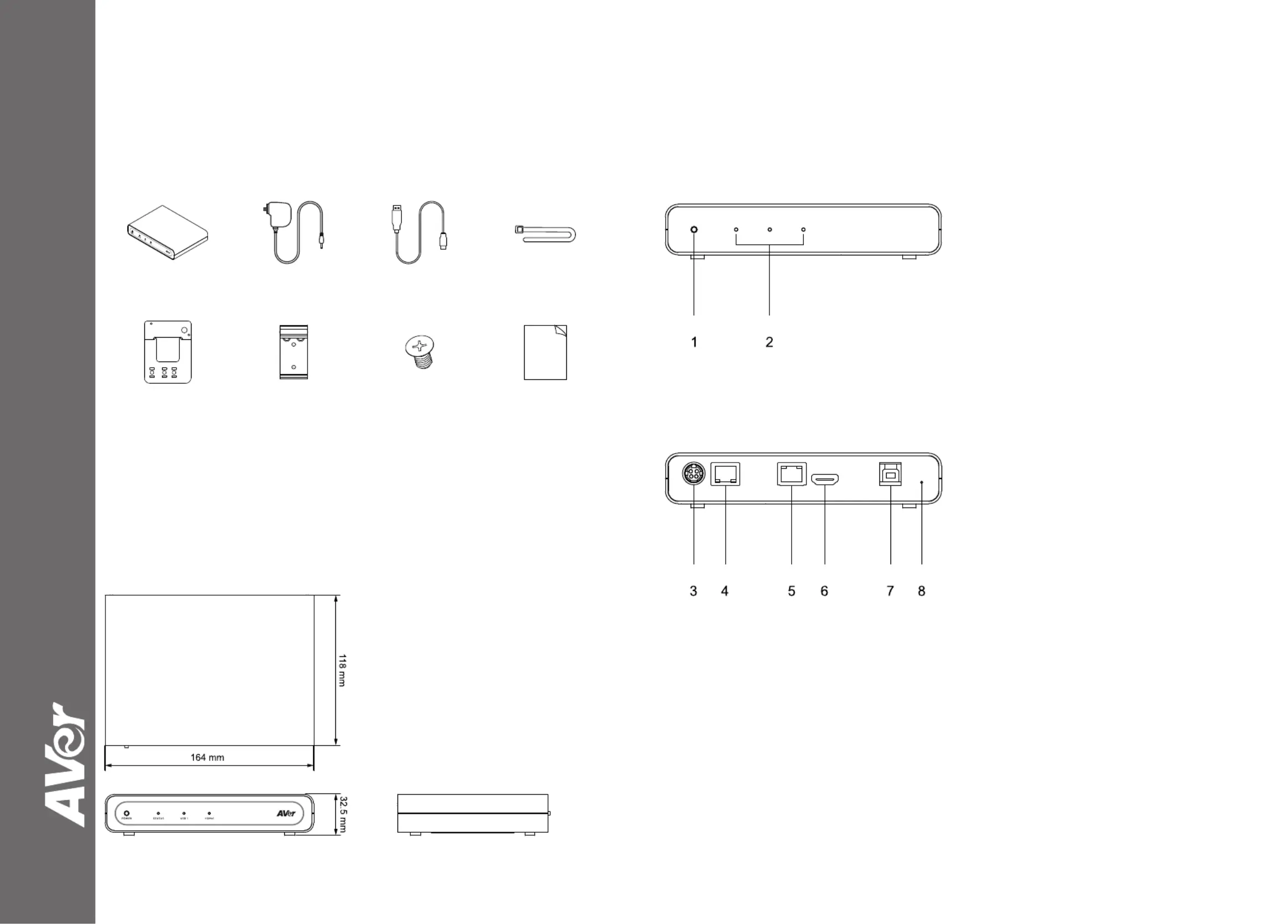
Package Contents
USB Extende
r Power Adapter &
Power Cord
USB 3.0 Type-A to
B Cable (1.5 m)
Cable Tie (x3)
Cable Fixing Plat
e DIN Rail
Mounting Clip
M3 x 5.1 mm
Screw (x4)
Quick Start Guide
Dimensions
Parts Info
1.Power
Button
UE1 automatically powers on when
power is
connected:
-
Press and hold f
or 5 seconds to po
wer off.
After powe
r off, press once to power on.
-Press and hold f
or 1 second to sw
itch
HDM
I re
solutions.
2.LED Indicators
Status / USB 1 /
HDMI 1
3.
DC Power
Jack
4.
Link 1 (PoE++ 802.3bt)
5.LAN
6.HDMI
2.0
7.
USB 3.0 Type-B
8.Reset
Hole
-Insert a pape
r clip, push in to reb
oot.
-
Insert a pape
r clip, push in and ho
ld for 5
seconds to reset to default settings.
Specyfikacje produktu
| Marka: | AVer |
| Kategoria: | Kamera monitorująca |
| Model: | UE1 |
Potrzebujesz pomocy?
Jeśli potrzebujesz pomocy z AVer UE1, zadaj pytanie poniżej, a inni użytkownicy Ci odpowiedzą
Instrukcje Kamera monitorująca AVer

8 Grudnia 2024
6 Października 2024
5 Października 2024
5 Października 2024
30 Września 2024
30 Września 2024
Instrukcje Kamera monitorująca
Najnowsze instrukcje dla Kamera monitorująca
28 Stycznia 2025
25 Stycznia 2025
17 Stycznia 2025
17 Stycznia 2025
15 Stycznia 2025
13 Stycznia 2025
13 Stycznia 2025
13 Stycznia 2025
12 Stycznia 2025
12 Stycznia 2025