Instrukcja obsługi Equip Universal surface mounting box
Equip Wsparcie dla płaskich paneli Universal surface mounting box
Przeczytaj poniżej 📖 instrukcję obsługi w języku polskim dla Equip Universal surface mounting box (1 stron) w kategorii Wsparcie dla płaskich paneli. Ta instrukcja była pomocna dla 18 osób i została oceniona przez 5 użytkowników na średnio 4.6 gwiazdek
Strona 1/1
www.equip-info.net
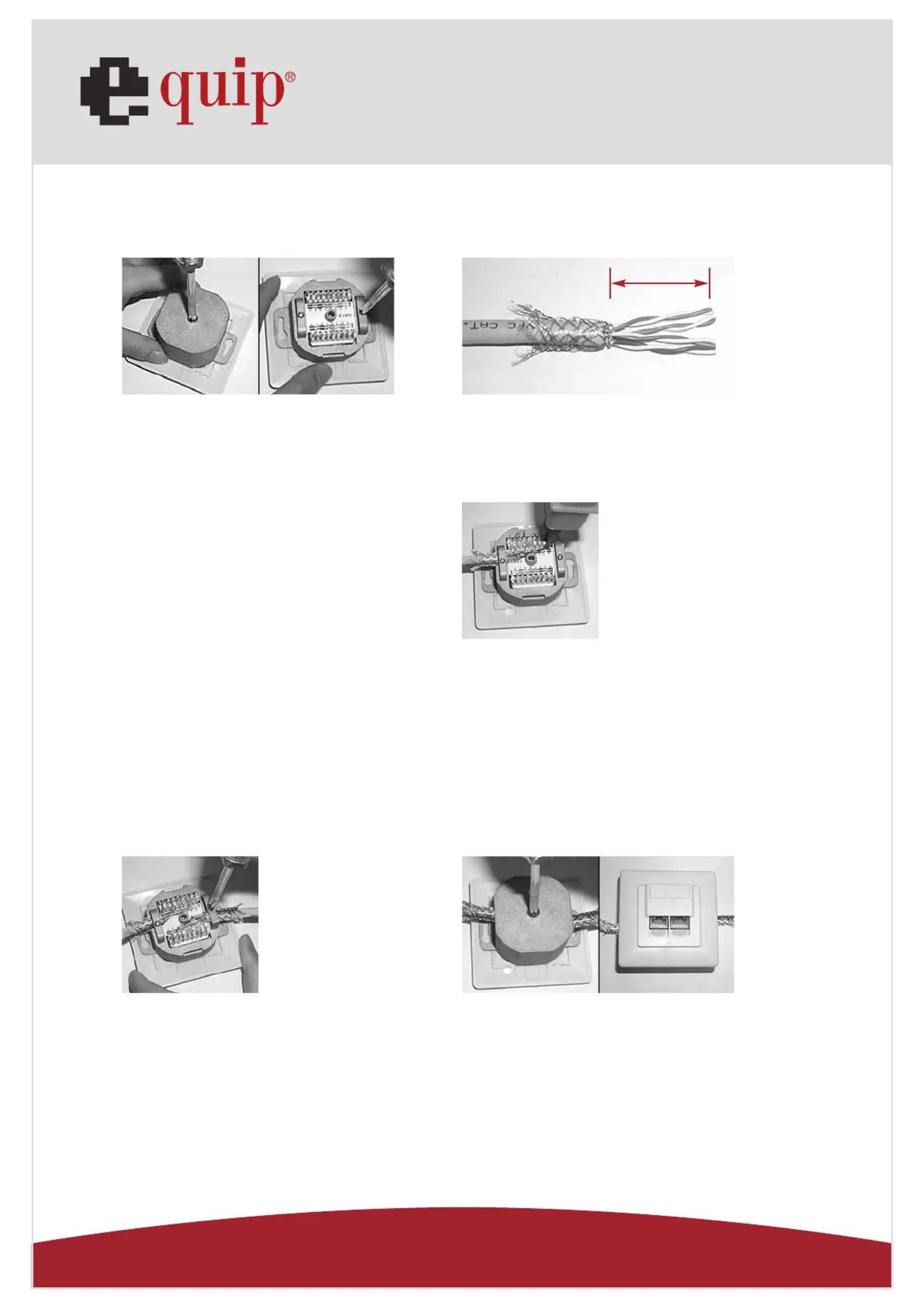
1.Take away the bottom cover and loosen up
the two screws inside.
3.Follow the color-coding to position
T568A or T568B wiring.
T568AT568B
Pin 1Pin 1White/GreenWhite/Orange
Pin 2Pin 2GreenOrange
Pin 3Pin 3White/OrangeWhite/Green
Pin 4Pin 4BlueBlue
Pin 5Pin 5White/BlueWhite/Blue
Pin 6Pin 6OrangeGreen
Pin 7Pin 7White/BrownWhite/Brown
Pin 8Pin 8BrownBrown
5.Fasten the screws to secure both
the braid and the cable jacket.
2.Strip approximately 30mm of the cable jacket,
and separate to 4 pair each.
4.Use the KRONE impact tool to punch down
and connect the wires.
6.Then assemble the bottom cover with the screw.
Then complete the installation.
Cat.5e / 6 wall outlet
30mm
Specyfikacje produktu
| Marka: | Equip |
| Kategoria: | Wsparcie dla płaskich paneli |
| Model: | Universal surface mounting box |
Potrzebujesz pomocy?
Jeśli potrzebujesz pomocy z Equip Universal surface mounting box, zadaj pytanie poniżej, a inni użytkownicy Ci odpowiedzą
Instrukcje Wsparcie dla płaskich paneli Equip

26 Września 2024
26 Września 2024
26 Września 2024
26 Września 2024
26 Września 2024
Instrukcje Wsparcie dla płaskich paneli
Najnowsze instrukcje dla Wsparcie dla płaskich paneli
29 Stycznia 2025
29 Stycznia 2025
29 Stycznia 2025
29 Stycznia 2025
28 Stycznia 2025
28 Stycznia 2025
16 Stycznia 2025
16 Stycznia 2025
16 Stycznia 2025
16 Stycznia 2025