Instrukcja obsługi GL.iNet Flint GL-AX1800
Przeczytaj poniżej 📖 instrukcję obsługi w języku polskim dla GL.iNet Flint GL-AX1800 (3 stron) w kategorii router. Ta instrukcja była pomocna dla 10 osób i została oceniona przez 5.5 użytkowników na średnio 4.9 gwiazdek
Strona 1/3
Let’s get
started.
GL-AX1800 / Flint
AX1800 Wireless Router
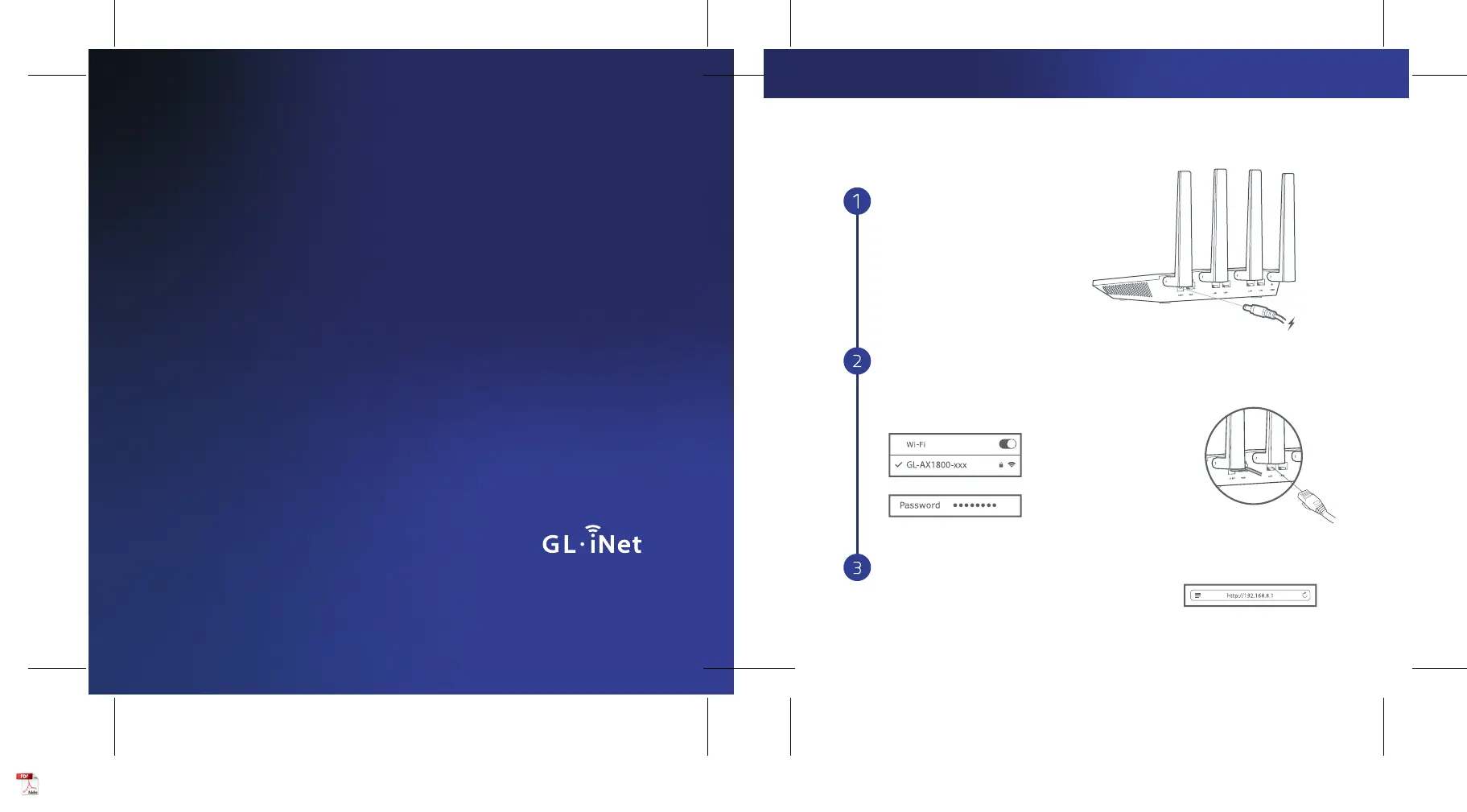
Set Up Router
Visit http://192.168.8.1 in your browser to set
up your router; start by choosing your preferred
language.
Power On
When powered up, your router will broadcast
both 2.4G and 5G Wi-Fi signal with the SSID:
GL-AX1800-xxx and GL-AX1800-xxx-5G.
or
Default password is goodlife
Search the SSID and connect to it
Connect to the Wi-Fi called GL-AX1800-xxx,
and then input the default Wi-Fi password
goodlife, which is also printed on the bottom
of the router.
Connect via Wi-Fi Connect via LAN
Plug the cable connecting
to your computer into LAN port
Plug in power cable
SETTING UP
Specyfikacje produktu
| Marka: | GL.iNet |
| Kategoria: | router |
| Model: | Flint GL-AX1800 |
Potrzebujesz pomocy?
Jeśli potrzebujesz pomocy z GL.iNet Flint GL-AX1800, zadaj pytanie poniżej, a inni użytkownicy Ci odpowiedzą
Instrukcje router GL.iNet

2 Października 2024

2 Października 2024

2 Października 2024
Instrukcje router
- 3Com
- Actiontec
- Tenda
- Arris
- Sagemcom
- Güde
- Iogear
- Edimax
- Ocean Matrix
- Toolcraft
- Hamlet
- Mercku
- Techly
- LogiLink
- Smart-AVI
Najnowsze instrukcje dla router

9 Kwietnia 2025

9 Kwietnia 2025

8 Kwietnia 2025

3 Kwietnia 2025

2 Kwietnia 2025

1 Kwietnia 2025

30 Marca 2025

30 Marca 2025

30 Marca 2025

30 Marca 2025