Instrukcja obsługi Mizco The Replacer
Przeczytaj poniżej 📖 instrukcję obsługi w języku polskim dla Mizco The Replacer (2 stron) w kategorii bank mocy. Ta instrukcja była pomocna dla 10 osób i została oceniona przez 5.5 użytkowników na średnio 5.0 gwiazdek
Strona 1/2
| 1 | 2 | 3 | 4
TECHNICAL SPECIFICATIONS
IMPUT:
• Batterycapacity:3.7V2600mAh
• Input:AC100-240V–50/60Hz0.3A
OUTPUT:
• DC5V1000mA
WARNING! IMPORTANT SAFETY INSTRUCTIONS!
Failuretoreadandfollowthesesafetyinstructionscouldresultin
re,explosion,electrical
shockorotherhazard,causingseriousand/orfatalinjuryand/or
propertydamage.
1.Donotmodify,disassemble,open,drop,crush,puncture
orshredtheproduct
2.Donotexposetheproducttorainorwater
3.Keeptheproductawayfromopenameorsunlightto
preventheatbuild-up
4.Keeptheproductawayfromchildren.Thisproductisnotatoy.
5.Ensurethatallpersonswhousetheproductreadand
followthesewarningsandinstructions.
CHARGING YOUR DEVICE
1.ConnectyourUSBcabletothepowerbankandtheother
endtoyourdevice.
2.Pressandholdthepowerbuttonfor2seconds,theLEDs
willdisplaythecurrentchargelevelandthepowerbank
willturnon.
3.TheLEDsonthepowerbankwillturnoafter5seconds
toconservepower.Yourdevicewillindicateitisnow
charging.
4.Tocheckthebatterylevelatanytimepressandreleasethe
powerbutton.
5.Tousethewallchargerfeaturesimplyplugthepower
bankintoawalloutletandyourdevicewillbegincharging.
6.Thepowerbankwillchargeyourdeviceuntilfullthenit
willautomaticallybegintochargeitsowninternalbattery.
Important Notes:
Aquickpressofthepowerbuttonchecksthebatterylevel,alongpressturns
thepowerbankonoro.
Ifthepowerbankisturnedonandnodevicehasbeenconnectedwithina
minuteitwillturnitselfotoconservepower.Toturnitbackonpressand
holdthepowerbuttonfor2seconds.
CHARGING YOUR POWER BANK
1.FlipopentheACplugandconnecttoastandardwalloutlet.
2.TheLEDsonthepowerbankwillblinkfrom1to4whilethepack
ischarging.
3.Whenthepackisfullycharged,all4LEDswillbelit.
BATTERY LEVEL INDICATOR
STATUS DISPLAY STATE BATTERY LEVEL
OneLEDisblinking Verylow,rechargesoon
OneLEDison Below25%
TwoLEDsareon 25%-50%
ThreeLEDsareon 50%-75%
AllfourLEDsareon 75%-100%
CHARGING STATUS INDICATOR
STATUS DISPLAY STATE CHARGE STATUS
OneLEDisblinking Below25%
OneLEDison,nextLEDisblinking 25%-50%
TwoLEDsareon,nextLEDisblinking 50%-75%
ThreeLEDsareon,lastLEDisblinking 75%-100%
AllfourLEDsareon Chargingcomplete
Toconserveenergy,theLEDswillgoowhenfullycharged.
Pressthepowerbuttontoconrmthepackisfullycharged
ENGLISH
USERGUIDE
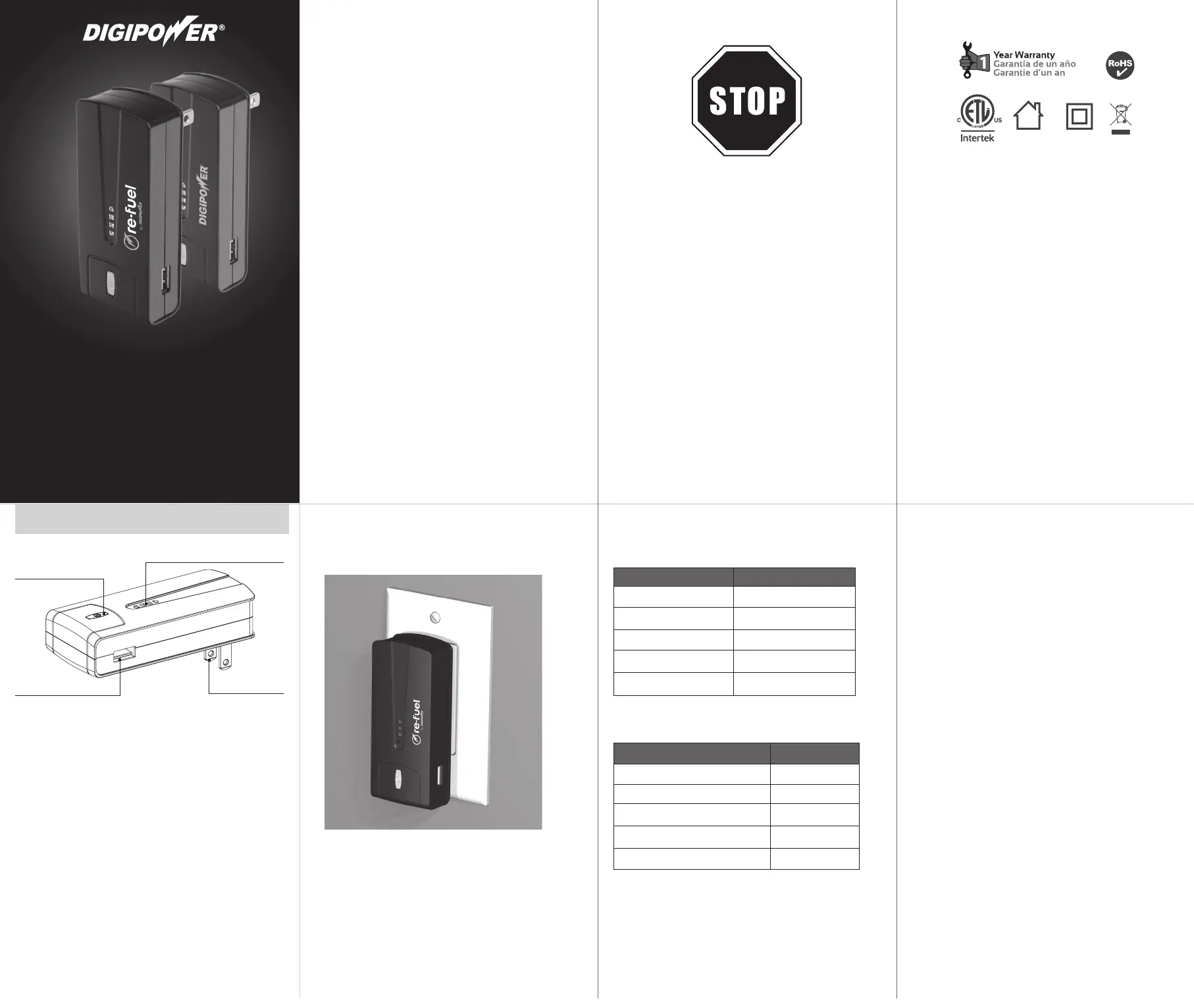
USBport
PowerON/OFFbutton
FlipopenACplug
4LEDchargeindicator
PRODUCT DIAGRAM
Visit
www.digipowersolutions.com/support
support page for more information and
additional language translations.
Visita la página de
www.digipowersolutions.com/support
soporte para más información y traducciones
de idiomas adicionales.
Visitez la page support
www.digipowersolutions.com/support
pour plus d’informations et des traductions
de langues supplémentaires.
Questions? Problems? Picked upthe wrong item?
Before RETURNING to the Store,
please give our customer service team
a chance to help. Call us toll free at: 1.800.838.3200
for a seamless and speedy resolution.
•
¿Preguntas? ¿Problemas?
¿Se compró el producto equivocado?
Antes de REGRESARLO a la tienda, por favor dele una
oportunidada nuestro personal del servicio
al cliente a que le ayuden.
Llámenos gratuitamente al: 1.800.838.3200
para una resolución rápida y sin problemas.
•
Des questions? Des problèmes?
Vous avez ramassé le mauvais article?
Avant de REVENIR au magasin, laissez la chance à notre
équipe du Service à la clientèle de vous aider.
Appelez-nous sans frais au numéro 1.800.838.3200
pour que nous puissions corriger rapidement la situation.
©2014 Mizco International, Inc.
Avenel, New Jersey
Allrightsreserved.
Todoslosderechosreservados.
Tousdroitsréservés.
www.digipowersolutions.com
tel: 800•838•3200
email:digipowersolutions@mizco.com
DIGIPOWERisaregisteredtrademark
ofMizcoInternationalInc.
DIGIPOWEResunamarcaregistrada
deMizcoInternationalInc.
DIGIPOWERestunemarquede
commerceenregistrée
deMizcoInternational,Inc.
ItemNo.RF-2600/JS-2600
USER GUIDE • GUIDE D’UTILISATION • GUÍA DEL USUARIO
2 IN 1 USB WALL CHARGER +
POWER BANK
CHARGEUR MURAL USB 2 EN 1 + CHARGEUR PORTATIF
CARGADOR USB DE PARED 2-EN-1 + BANCO DE ENERGÍA
Specyfikacje produktu
| Marka: | Mizco |
| Kategoria: | bank mocy |
| Model: | The Replacer |
Potrzebujesz pomocy?
Jeśli potrzebujesz pomocy z Mizco The Replacer, zadaj pytanie poniżej, a inni użytkownicy Ci odpowiedzą
Instrukcje bank mocy Mizco

27 Września 2024

27 Września 2024

27 Września 2024

27 Września 2024
Instrukcje bank mocy
- Cobra
- Twelve South
- Belkin
- APC
- Monster
- Urban Revolt
- Lenovo
- Goodis
- Iget
- Decoded
- Grixx
- Billow
- CyberPower
- SBS
- Tecxus
Najnowsze instrukcje dla bank mocy

2 Kwietnia 2025

30 Marca 2025

30 Marca 2025

28 Marca 2025

27 Marca 2025

27 Marca 2025

27 Marca 2025

27 Marca 2025

13 Marca 2025

13 Marca 2025