Instrukcja obsługi Panasonic DP-102-E-P
Panasonic nieskategoryzowany DP-102-E-P
Przeczytaj poniżej 📖 instrukcję obsługi w języku polskim dla Panasonic DP-102-E-P (5 stron) w kategorii nieskategoryzowany. Ta instrukcja była pomocna dla 30 osób i została oceniona przez 2 użytkowników na średnio 5.0 gwiazdek
Strona 1/5
FIBER
SENSORS
LASER
SENSORS
PHOTOELECTRIC
SENSORS
MICRO
PHOTOELECTRIC
SENSORS
AREA
SENSORS
SAFETY
COMPONENTS
PRESSURE
SENSORS
INDUCTIVE
PROXIMITY
SENSORS
PARTICULAR
USE SENSORS
SENSOR
OPTIONS
WIRE-SAVING
SYSTEMS
MEASUREMENT
SENSORS
STATIC CONTROL
DEVICES
LASER
MARKERS
Selection
Guide
Digital
Display
DP4
DP-100
DP-M
DP5 / DPH
Head-
separated
Other
Products
DP-100
Digital
Display
595
PRESSURE
SENSORS
Related Information
Conforming to
EMC Directive
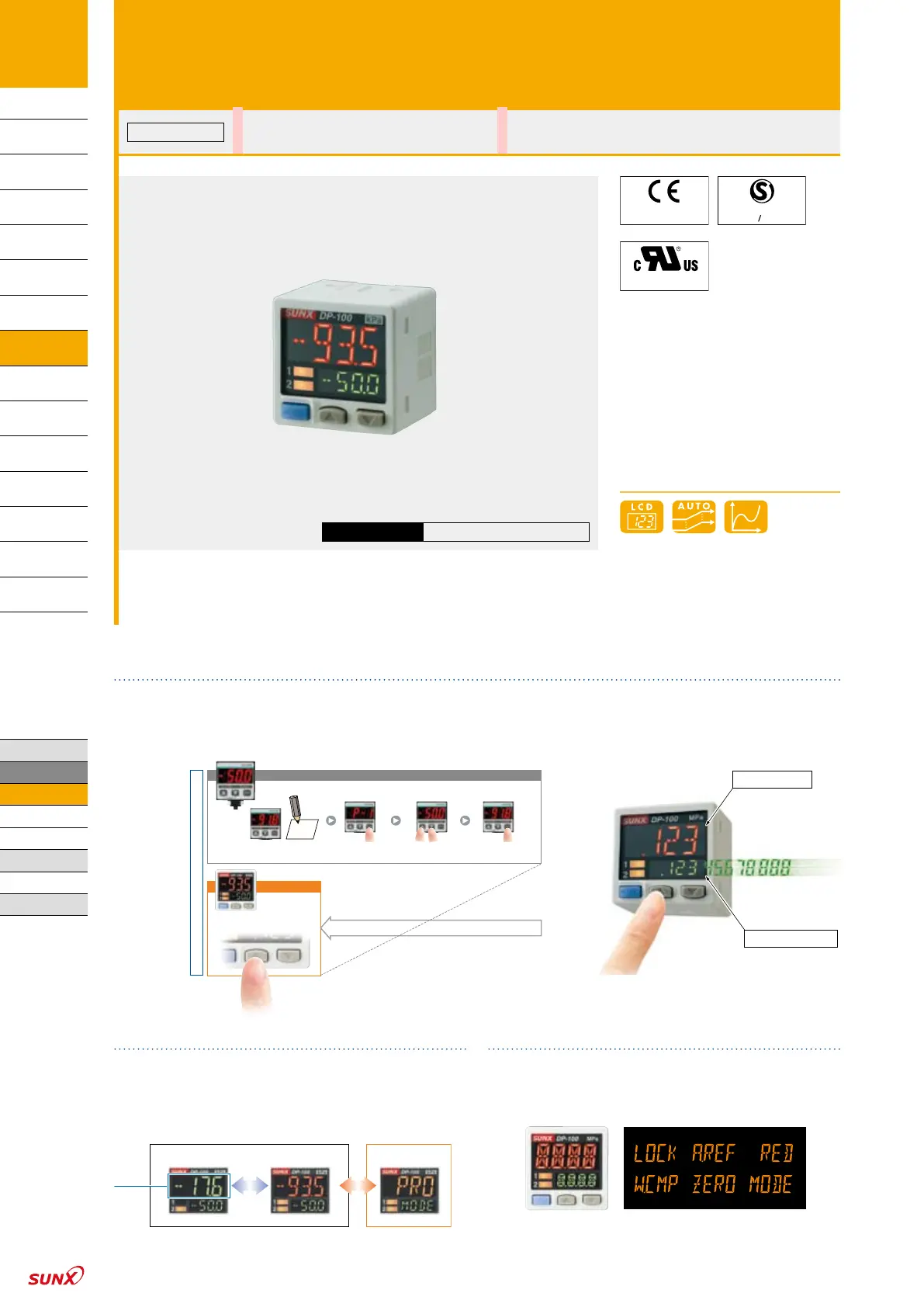
The dual display means that the “current value” and the “threshold value”, it makes direct setting of threshold value
Equipped with a 30 mm 1.181 in square compact-sized dual display. Because the current value and the threshold
value can be checked at the same time, the threshold value can be set and checked smoothly without having to
switch screen modes. ON / OFF operations are still carried out while the threshold values are being set, so setting to
the same sensitivity as dial control-type sensors is possible. And naturally a key lock function is also equipped.
Digital
A
uto reference
With analog
output
Current value
Threshold value
Man-hours reduced by
Man-hours reduced by
3
/
4
3
/
4
DP-100 with dual display
Previous model with single display
–
91.8
Note current value
Threshold value setting method
Operate MODE key
Adjust threshold valueReturn to RUN operation
Simply press a button
during RUN operation
3-color display (Red, Green, Orange)
The main display changes color in line with changes
in the status of output ON / OFF operation, and it also
changes color while setting is in progress. The sensor
status can therefore be understood easily, and operating
errors can be reduced.
SET: OrangeOFF: Green (or Red)ON: Red (or Green)
During normal operationDuring setting
Main
Display
Readable digital display
12 segments are used and an alphanumeric display has
been adopted. This improves visual checking of letters
and numbers.
Dual Display Digital Pressure Sensor
DP-100 SERIES
Dual 3-color display makes operation easier!
Certified
[DP-101(A)/102(A) only]
Recognition
(Excluding DP-10□-M)
General terms and conditions .......................P.1□Sensor selection guide ..............P.11~ / P.593~□
Glossary of terms / General precautions
.................P.1000~ / P.1004
□Korea’s S-mark ..........................................P.1034~□
http://www.sunx.com
SUNX website
Specyfikacje produktu
| Marka: | Panasonic |
| Kategoria: | nieskategoryzowany |
| Model: | DP-102-E-P |
Potrzebujesz pomocy?
Jeśli potrzebujesz pomocy z Panasonic DP-102-E-P, zadaj pytanie poniżej, a inni użytkownicy Ci odpowiedzą
Instrukcje nieskategoryzowany Panasonic

31 Sierpnia 2024
31 Sierpnia 2024
31 Sierpnia 2024
31 Sierpnia 2024
31 Sierpnia 2024
31 Sierpnia 2024
31 Sierpnia 2024
31 Sierpnia 2024
31 Sierpnia 2024
31 Sierpnia 2024
Instrukcje nieskategoryzowany
Najnowsze instrukcje dla nieskategoryzowany
28 Października 2024
28 Października 2024
27 Października 2024
27 Października 2024
27 Października 2024
27 Października 2024
27 Października 2024
27 Października 2024
27 Października 2024
27 Października 2024