Instrukcja obsługi Primera LX810e
Primera drukarka etykiet LX810e
Przeczytaj poniżej 📖 instrukcję obsługi w języku polskim dla Primera LX810e (2 stron) w kategorii drukarka etykiet. Ta instrukcja była pomocna dla 17 osób i została oceniona przez 3 użytkowników na średnio 4.7 gwiazdek
Strona 1/2
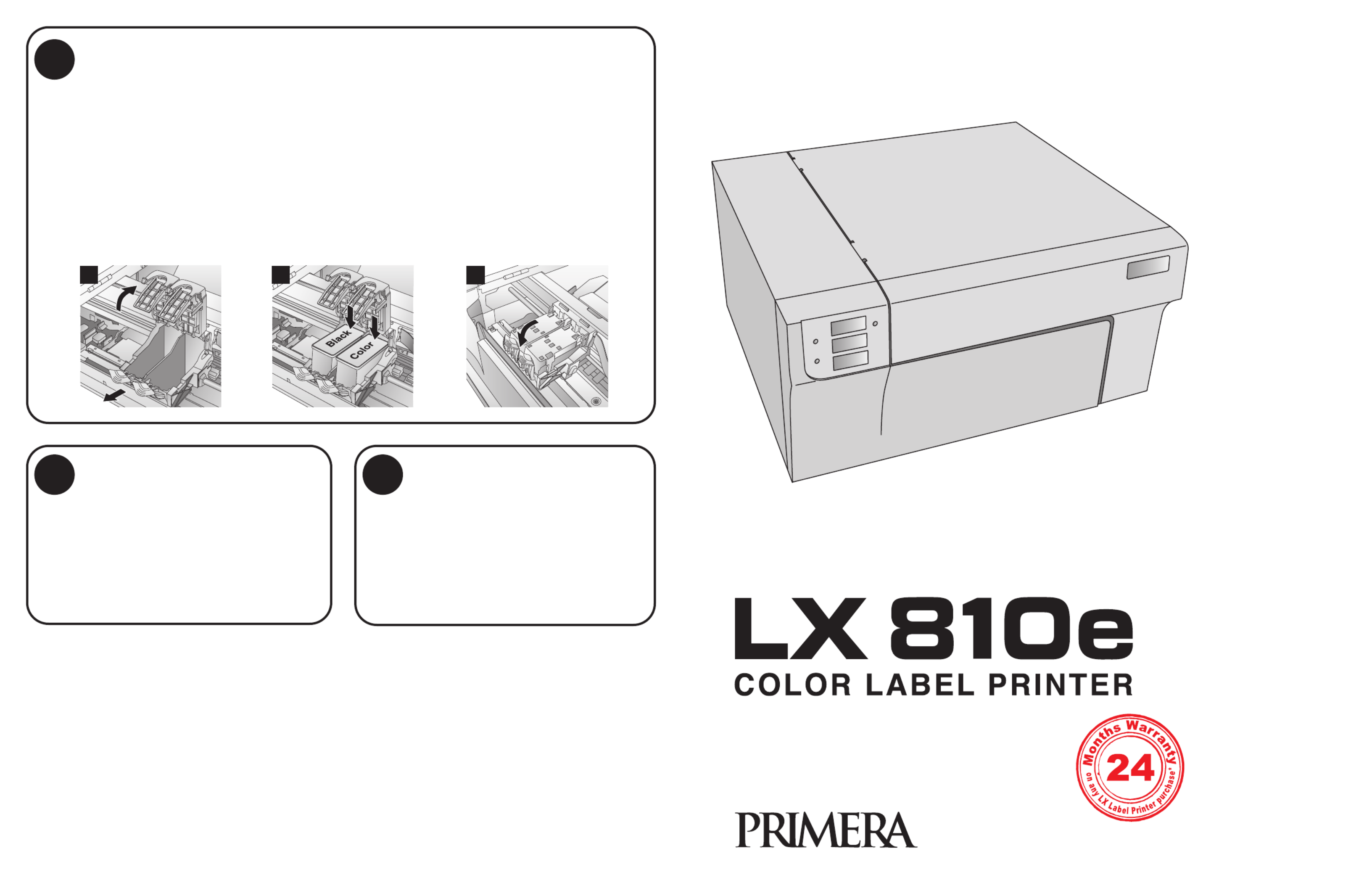
6Install Cartridges
Quick Start
P/N 510929-060409
7Finishing the Install8Congratulations
Once you have installed the media, the installer
will prompt you to install the cartridges.
Open the Top Cover. Click the Install Cartridges
button to start the cartridge installation process.
The Cartridge Carrier will move itself to the center
of the print area.
1.Press the Cartridge Cover Release to open the
Cartridge Holder.
2. Remove each cartridge from its packaging
and slowly remove the tape covering the
cartridge's print head.
3.Replace/install the cartridge.
4.Push cartridge cover downward until it snaps
in place.
5.Close the Top Cover.
Click Finished Installing Cartridges to confirm
the cartridges have been installed. You will now
be prompted to align your cartridges.
Click Align Cartridges to start the cartridge
alignment. The Printer will now print and
automatically scan a pattern of lines that will
align the black cartridge to the color cartridge.
12 3
After the cartridges and the label media have
been installed and configured, the installer will
complete its process by installing the NiceLabel
SE software on your computer. Simply click
Next to continue installing, and follow the
onscreen instructions to the finish.
Note: For optimal printing speed you MUST
reboot the PC after installing the software!
Congratulations! Your LX810e Color Label
Printer is now installed and ready for use.
Please refer to Section 3 of the User Manual
for a tutorial on using NiceLabel®SE.
© 2009 All rights reserved
*after registering your
product. See
www.primerawarranty.com
for terms and conditions.
Specyfikacje produktu
| Marka: | Primera |
| Kategoria: | drukarka etykiet |
| Model: | LX810e |
| Kolor produktu: | Biały |
| Wysokość produktu: | 231 mm |
| Szerokość produktu: | 432 mm |
| Głębokość produktu: | 394 mm |
| Waga produktu: | 13200 g |
| Technologia łączności: | Przewodowa |
| Certyfikaty: | UL, UL-C, CE, FCC |
| Port USB: | Tak |
| Zgodny z Mac: | Tak |
| Wi-Fi: | Nie |
| Liczba portów USB 2.0: | 1 |
| Przewodowa sieć LAN: | Nie |
| Diody LED: | Tak |
| Maksymalna rozdzielczość: | 4800 x 1200 DPI |
| Maksymalna szerokość drukowania: | 210 mm |
| Prędkość druku: | 51 mm/s |
| Maksymalna średnica rolki: | 152 mm |
| Wymiary rdzenia: | 76 mm |
| Wymiary produktu (SxGxW): | 432 x 394 x 231 mm |
| Zasilanie: | 100 - 240V, 50/60Hz |
| System operacyjny: | Windows XP\nWindows Vista\nWindows 7\nMac OS X v10.2+ |
| Dołączone oprogramowanie: | NiceLabel SE |
| Kolor(y) wkładów drukujących: | Cyan, Magenta, Yellow |
| Prąd wyjściowy adaptera AC: | 0.5 A |
| Standardowe interfejsy: | USB |
| Napięcie wyjściowe adaptera AC: | 12 V |
| Kolor: | Tak |
| Maksymalna długość etykiety: | 0.609 m |
| Minimalna ilość pamięci RAM: | 512 MB |
| Minimalna ilość miejsca w pamięci komputerowej: | 5000 MB |
| Minimalny procesor: | Intel Pentium IV, G4 |
Potrzebujesz pomocy?
Jeśli potrzebujesz pomocy z Primera LX810e, zadaj pytanie poniżej, a inni użytkownicy Ci odpowiedzą
Instrukcje drukarka etykiet Primera

16 Września 2024
15 Września 2024
14 Września 2024
13 Września 2024
13 Września 2024
8 Września 2024
Instrukcje drukarka etykiet
Najnowsze instrukcje dla drukarka etykiet
9 Marca 2025
7 Marca 2025
3 Marca 2025
17 Lutego 2025
17 Lutego 2025
6 Lutego 2025
28 Stycznia 2025
13 Stycznia 2025
13 Stycznia 2025
12 Stycznia 2025