Instrukcja obsługi StarTech.com ATX2POW400HS
StarTech.com Zasilanie komputera ATX2POW400HS
Przeczytaj poniżej 📖 instrukcję obsługi w języku polskim dla StarTech.com ATX2POW400HS (2 stron) w kategorii Zasilanie komputera. Ta instrukcja była pomocna dla 61 osób i została oceniona przez 4 użytkowników na średnio 4.1 gwiazdek
Strona 1/2
Instruction Manual
DE: Bedienungsanleitung - de.startech.com
FR: Guide de l'utilisateur - fr.startech.com
ES: Guía del usuario - es.startech.com
IT: Guida per l'uso - it.startech.com
NL: Gebruiksaanwijzing - nl.startech.com
PT: Guia do usuário - pt.startech.com
Manual Revision: 07/05/2013
For the most up-to-date information, please visit: www.startech.com
Packaging Contents
•1x400WATXPowerSupply
•1xPowerCord(NA)
•1xInstructionManual
Installation
NOTE: Computerscontainsensitiveelectroniccomponentsthat
areeasilydamagedbystaticelectricityandexcessiveshock.When
handlingthepowersupplyandothercomponents,ensureyouare
properlygroundedusingananti-staticmatorsimilardevice.Ifanti-
staticequipmentisnotavailable,groundyourselfbytouchingthe
exteriorofthecomputercaseoranotherlargemetalsurfacebefore
handlinganyperipherals.
1.Installationofapowersupplyrequiressomemechanicalskill
andrequiresthatyouopenyourcomputercasetodisconnect
andreconnectwires.Ifyouareunfamiliarwiththiskindofwork,
considerbringingyourcomputerandnewStarTech.compower
supplytoyourlocalcomputerstoreforhelp.
2.Checktheredswitchontherearofthepowersupply,nextto
thepowercordplug.Besureitissettothecorrectvoltagefor
yourcountry.InNorthAmerica,itshouldread“115”.InEurope
andAustraliaitshouldread“230”.Tochangetheswitch,use
ascrewdriverinthenotchoftheswitchandslideittothe
oppositeside.Ifyouareunsureofthevoltageusedinyour
country,contactyourelectricityproviderbeforeproceeding.
3.Ifyouarereplacinganoldpowersupplyinyourcomputer,
ensurethecomputerisshutdownanddisconnectthepower
cordfromthebackoftheoldsupply.
4.Openyourcomputercase.Inmostdesigns,thecaseisopened
byremovingtwoorthreescrewsattherearofthecaseandthen
slidingthecoveringpanelbackwarduntilitcomesfree.Ifyour
caseisatowerstyle,ensurethatyouremovethepanelthatwill
exposethetopofthecomputer’smotherboard.Thisisgenerally
theleft-sidepanel.Therearemanydierentcasedesigns,
however,soifyouareunsureofhowtoopenyourparticular
case,consulttheusermanualforyourcaseorcontactyourlocal
computerstoreforhelp.
5.Withthecomputercaseopen,reviewtheconnectorsbeingused
fromyouroldpowersupply.Ifyouarebuildinganewcomputer,
reviewtheconnectorsthatyouwillneedtouse.Checkthetype
ofconnectoronyourmotherboardanduseeitherthe24or20
pinATXpowerconnectoronthepowersupplyasappropriate.
6.Disconnecttheoldpowersupplyconnectionsfrominside
yourcomputer.Harddiskdrive,CDdriveandoppydisk
driveconnectorsdisconnectbypullingontheconnector.The
motherboardconnector(s)haveaclipthatmustbepressed
whilepullingontheconnectortoreleasethem.Arocking
motionwhilepullingwillaidingettingtheconnectorsloose.
Neverpullonthewiresofaconnectortounplugit.
7.Checkthatallthewiresfromyouroldpowersupplyarefree.
Removethefourscrewsontherearofyouroldpowersupplyto
freeitfromthecomputercase.Supportthepowersupplywith
onehandifitcouldfallwhileremovingthelastscrew.(Suchasin
atowerstylecase.)Removethepowersupplybyslidingitback
andthenoutthroughthesideofyourcase.
8.Installyournewpowersupplybypositioningitthroughthe
sideortopofyourcase(dependingonyourcasestyle)andthen
backontothepowersupplymounts.Checkthattheorientation
withthescrewholesinyourcaseiscorrect;allfourholesmust
bealigned.Supportthepowersupplywithonehandwhile
threadingamountingscrewthroughthebackofthecaseand
ATX2POW400HS
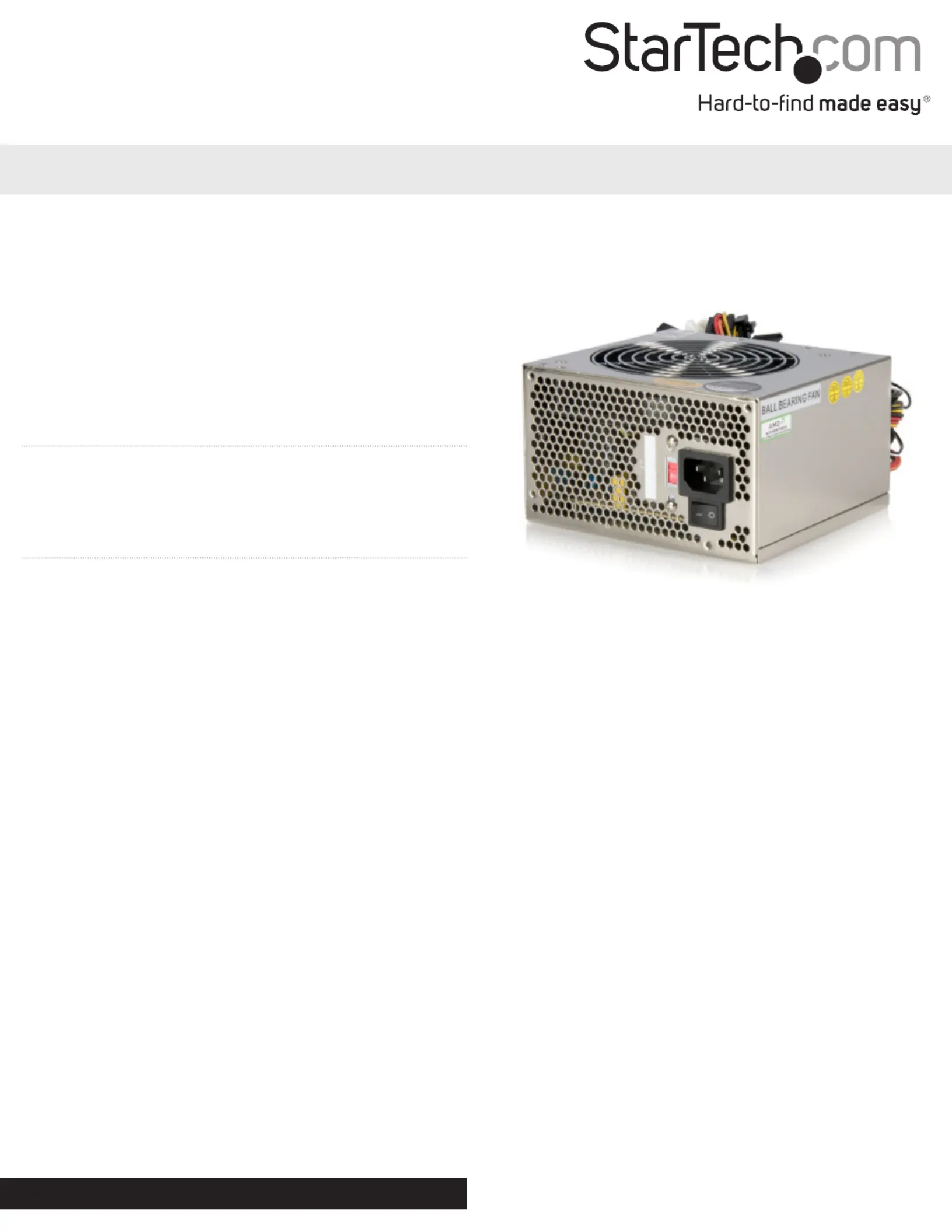
400 Watt 20/24-pin Silent ATX 2.01 Computer Power Supply
*actual product may vary from photos
Specyfikacje produktu
| Marka: | StarTech.com |
| Kategoria: | Zasilanie komputera |
| Model: | ATX2POW400HS |
Potrzebujesz pomocy?
Jeśli potrzebujesz pomocy z StarTech.com ATX2POW400HS, zadaj pytanie poniżej, a inni użytkownicy Ci odpowiedzą
Instrukcje Zasilanie komputera StarTech.com

1 Stycznia 2025
1 Stycznia 2025
1 Stycznia 2025
1 Stycznia 2025
1 Stycznia 2025
1 Stycznia 2025
1 Stycznia 2025
1 Stycznia 2025
1 Stycznia 2025
1 Stycznia 2025
Instrukcje Zasilanie komputera
Najnowsze instrukcje dla Zasilanie komputera
15 Stycznia 2025
12 Stycznia 2025
5 Stycznia 2025
1 Stycznia 2025
1 Stycznia 2025
30 Grudnia 2025
30 Grudnia 2025
30 Grudnia 2025
30 Grudnia 2025
25 Grudnia 2024