Instrukcja obsługi StarTech.com D130-DECIBEL-METER
StarTech.com miernik poziomu dźwięku D130-DECIBEL-METER
Przeczytaj poniżej 📖 instrukcję obsługi w języku polskim dla StarTech.com D130-DECIBEL-METER (6 stron) w kategorii miernik poziomu dźwięku. Ta instrukcja była pomocna dla 60 osób i została oceniona przez 2 użytkowników na średnio 5.0 gwiazdek
Strona 1/6
For additional self-service support options and community forums, please visit: www.StarTech.com/support
Revision: August 2, 2024
Quick-Start Guide
Product ID
D130-DECIBEL-METER
Compact Decibel Meter - Range 30 to 130dB
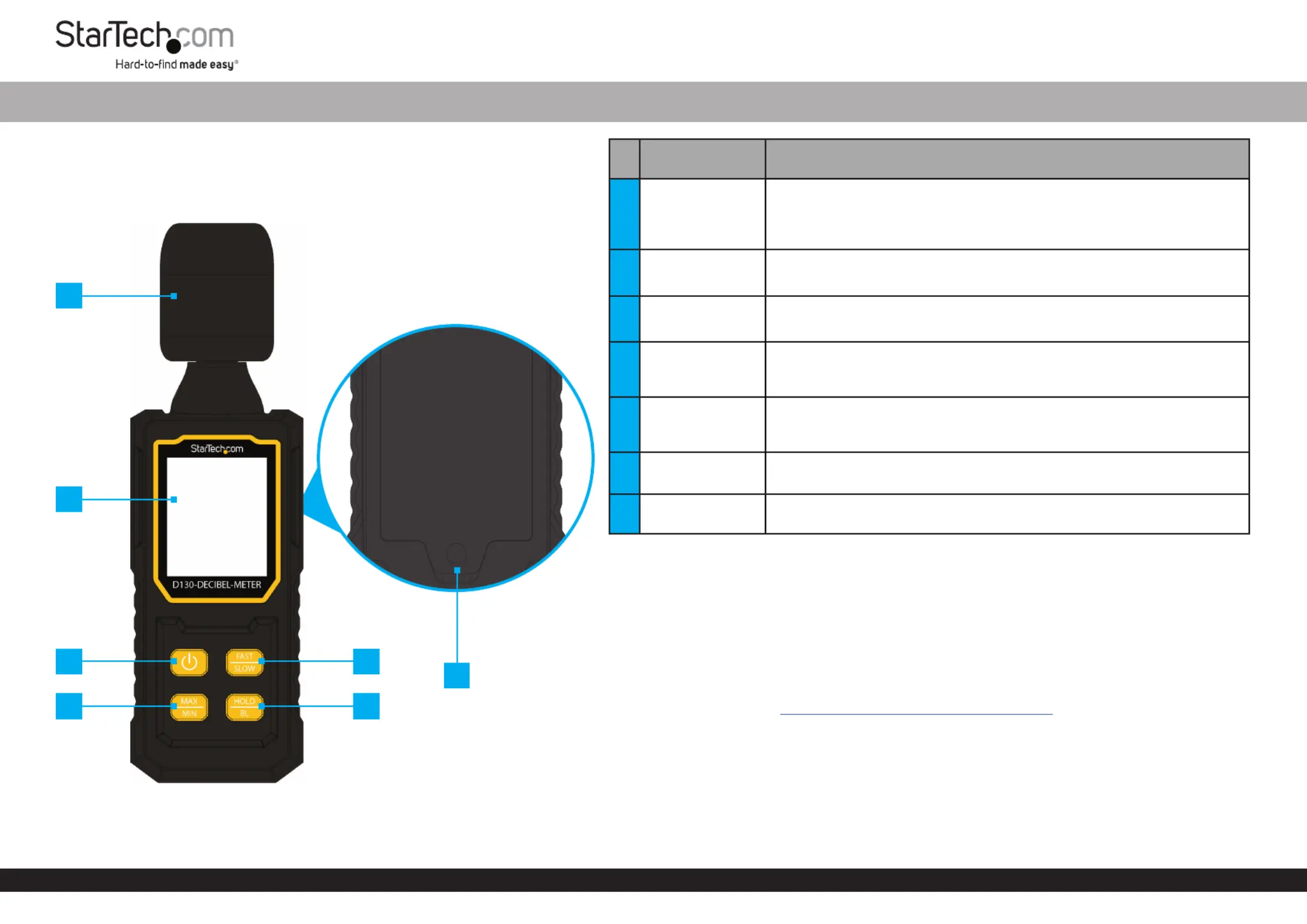
FeatureFunction / Operation
1
Capacitive
Microphone with
Foam Wind-
Screen
• Captures Sound for Measurements
2LCD Display• Displays Settings and Measurement Information
3
Power On/O
Button
• Turns the Device On and O
4
Fast/Slow
Response Speed
Button
• Switches Between Fast and Slow Response Modes
5
Measuring Mode
(MAX/MIN)
Button
• Switches Between Maximum (MAX) and Minimum (MIN) Measuring
Modes
6
Hold & Back-
Light Button
• Holds Readings within the Current Timing Interval
• Turns LCD Display Back-Light On and O
7
Rear Battery
Compartment
• Houses Installed Batteries
Package Contents
• Decibel Meter x 1
• AAA Batteries x 3
• Quick-Start Guide x 1
Requirements
For the latest manuals, product information, technical specications, and declarations of
conformance, please visit:www.StarTech.com/D130-DECIBEL-METER
• Phillips Head Screwdriver (for battery installation)
*Product may vary from image
1
2
4
3
56
7
Specyfikacje produktu
| Marka: | StarTech.com |
| Kategoria: | miernik poziomu dźwięku |
| Model: | D130-DECIBEL-METER |
Potrzebujesz pomocy?
Jeśli potrzebujesz pomocy z StarTech.com D130-DECIBEL-METER, zadaj pytanie poniżej, a inni użytkownicy Ci odpowiedzą
Instrukcje miernik poziomu dźwięku StarTech.com

2 Stycznia 2025
Instrukcje miernik poziomu dźwięku
Najnowsze instrukcje dla miernik poziomu dźwięku
10 Stycznia 2025
10 Stycznia 2025
10 Stycznia 2025
10 Stycznia 2025
10 Stycznia 2025
8 Stycznia 2025
3 Stycznia 2025
30 Grudnia 2025
28 Grudnia 2024
28 Grudnia 2024