Instrukcja obsługi Techno Line WS 6610
Techno Line WS 6610
Przeczytaj poniżej 📖 instrukcję obsługi w języku polskim dla Techno Line WS 6610 (6 stron) w kategorii . Ta instrukcja była pomocna dla 50 osób i została oceniona przez 2 użytkowników na średnio 4.8 gwiazdek
Strona 1/6
KL4912 Desktop weather station
Instruction Manual
Introduction
This weather station comes with backlight, indoor and outdoor temperature &
humidity display, and alarm clock with calendar.
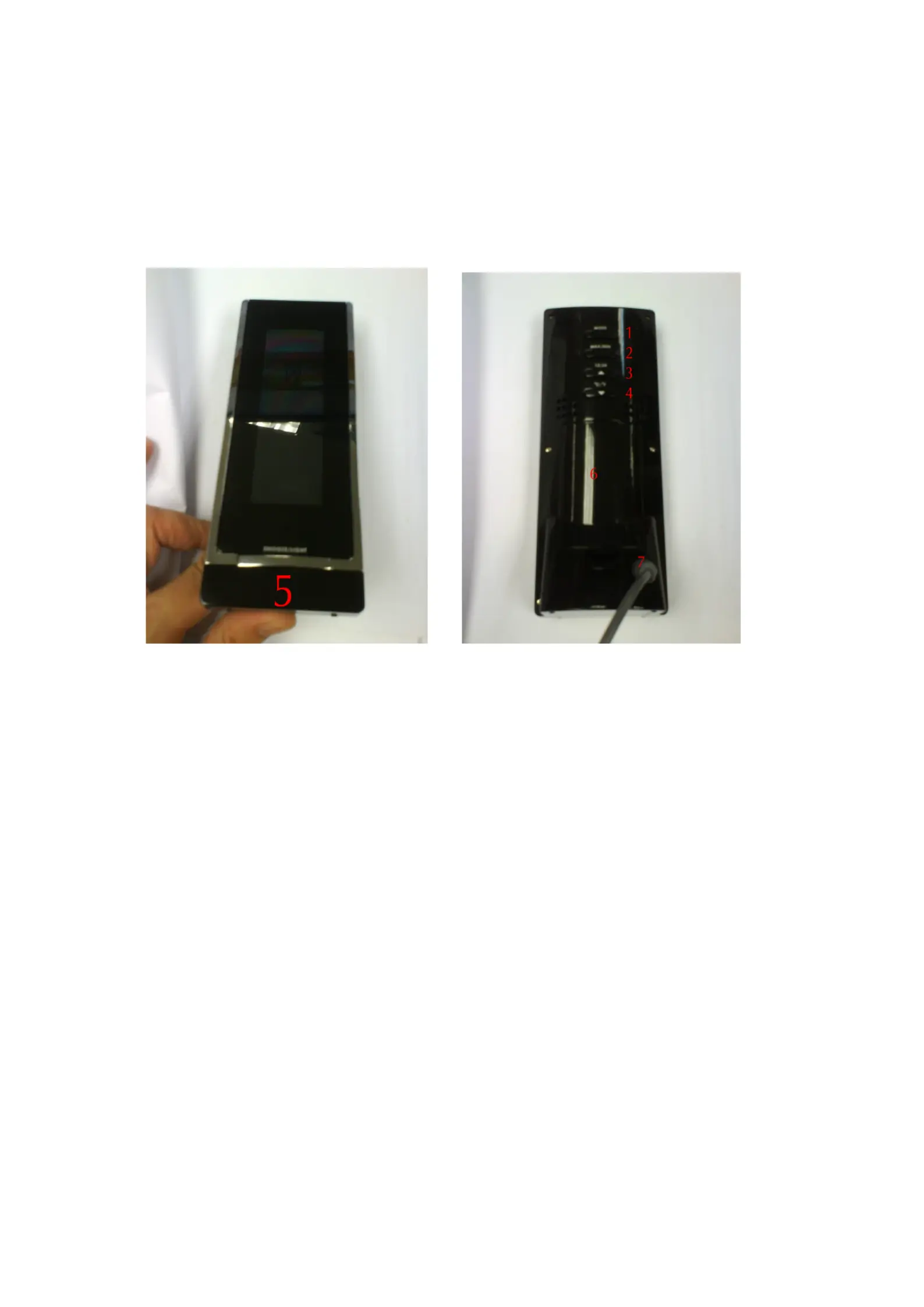
Fig. 1 Front view Fig. 2 Back view
1. “MODE” button
2. “MAX/MIN” button
3. “
▲
CHANNEL” button
4. “
▼/°
C/
°
F / RCC” button
5. “SNOOZE / LIGHT” button
6. Battery compartment
7. A/C in-jack
Getting started:
Installing A/C adapter – highly recommended
1. Remove all “AAA” batteries before plugging in A/D D/C adapter. See instructions
below.
2. Plug in A/C D/C adapter at A/C input jack (7) (see figure 2).
Batteries installation
1. Open battery compartment (6) on the back of the unit. (see figure 2)
2. Install / replace with 3x “AAA” size batteries in the compartment. It is
recommended that only alkaline batteries are used.
3. Replace the battery compartment (6) on the back of the unit.
4. A short beep will be heard to confirm proper installation of batteries.
Batteries safety warnings:
Specyfikacje produktu
| Marka: | Techno Line |
| Kategoria: | |
| Model: | WS 6610 |
Potrzebujesz pomocy?
Jeśli potrzebujesz pomocy z Techno Line WS 6610, zadaj pytanie poniżej, a inni użytkownicy Ci odpowiedzą
Instrukcje Techno Line

11 Stycznia 2025
11 Stycznia 2025
11 Stycznia 2025
11 Stycznia 2025
11 Stycznia 2025
11 Stycznia 2025
11 Stycznia 2025
11 Stycznia 2025
11 Stycznia 2025
11 Stycznia 2025
Instrukcje
Najnowsze instrukcje dla
17 Stycznia 2025
16 Stycznia 2025
16 Stycznia 2025
15 Stycznia 2025
13 Stycznia 2025
13 Stycznia 2025
13 Stycznia 2025
12 Stycznia 2025
11 Stycznia 2025
11 Stycznia 2025