Instrukcja obsługi ATen KA7570
Przeczytaj poniżej 📖 instrukcję obsługi w języku polskim dla ATen KA7570 (4 stron) w kategorii Kable do komputerów PC i urządzeń peryferyjnych. Ta instrukcja była pomocna dla 32 osób i została oceniona przez 6 użytkowników na średnio 4.5 gwiazdek
Strona 1/4
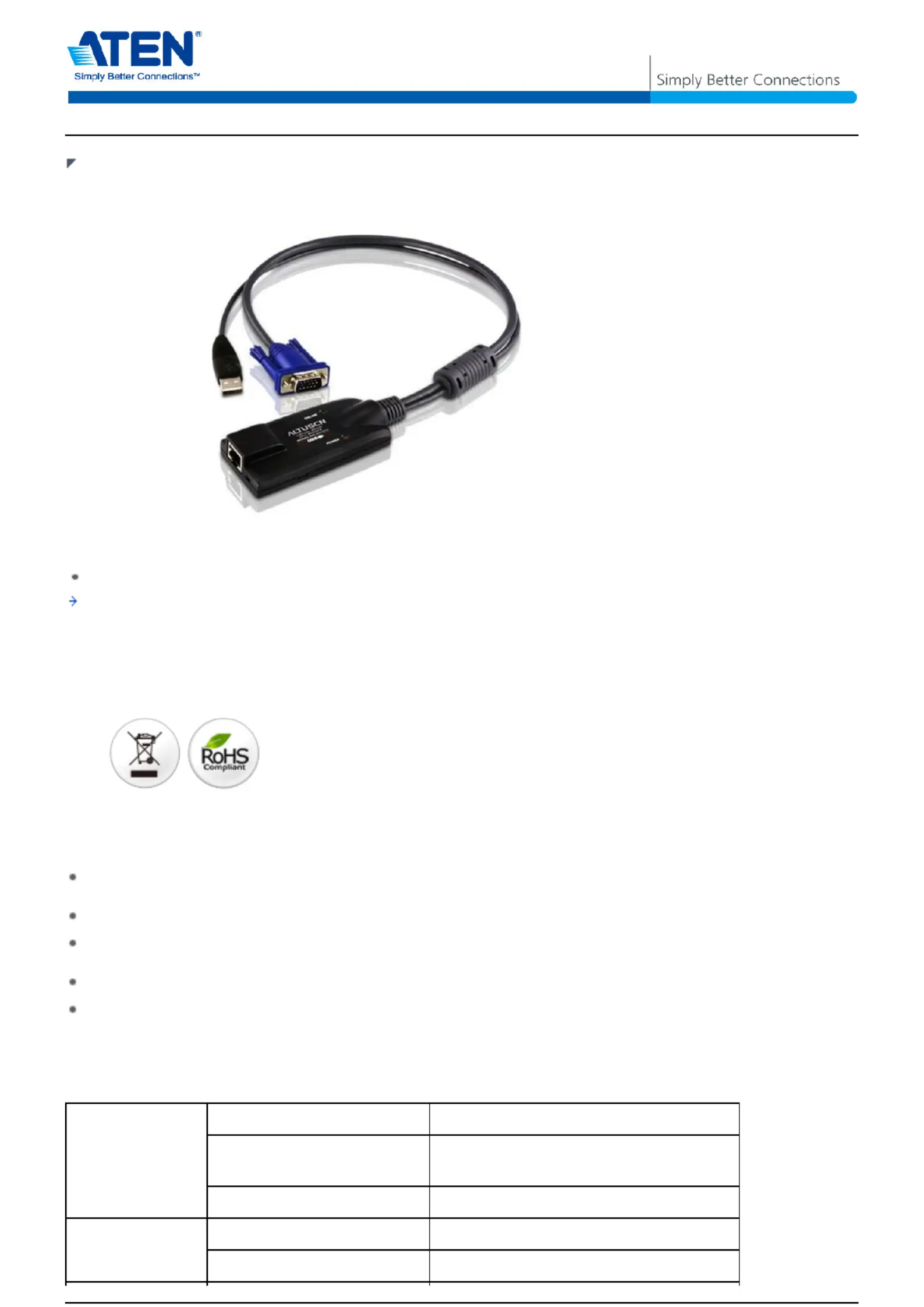
KA7570
USB KVM Adapter Cable (CPU Module)
The KA7570 USB KVM Adapter Cable connects the KVM switch to the video and USB ports of
the target computer. With its small form factor and light weight design, it fits perfectly into
most of the rack-mount or desktop servers.
Features
Keyboard and mouse emulation - keeps your server functioning smoothly when it is
disconnected from the switch's KVM port or relocated to different KVM port
Lifetime firmware upgrades
Superior video quality - supports resolution of up to 1600 x 1200 within the distance of up to
40m
Hot pluggable - add or remove computers without having to power down the switch.
Compact size
Specification
ConnectorsLink1 x RJ-45 Female
Mouse/Keyboard to
computer
1 x USB Male
VGA to computer1 x HDB-15 Male
LEDsOn Line /Link1 (Green)
Power1 (Orange)
1/4
Specyfikacje produktu
| Marka: | ATen |
| Kategoria: | Kable do komputerów PC i urządzeń peryferyjnych |
| Model: | KA7570 |
Potrzebujesz pomocy?
Jeśli potrzebujesz pomocy z ATen KA7570, zadaj pytanie poniżej, a inni użytkownicy Ci odpowiedzą
Instrukcje Kable do komputerów PC i urządzeń peryferyjnych ATen

1 Stycznia 2025
22 Września 2024
22 Września 2024
22 Września 2024
21 Września 2024
20 Września 2024
18 Września 2024
18 Września 2024
18 Września 2024
18 Września 2024
Instrukcje Kable do komputerów PC i urządzeń peryferyjnych
Najnowsze instrukcje dla Kable do komputerów PC i urządzeń peryferyjnych
29 Stycznia 2025
12 Stycznia 2025
10 Stycznia 2025
4 Stycznia 2025
2 Stycznia 2025
2 Stycznia 2025
2 Stycznia 2025
2 Stycznia 2025
30 Grudnia 2025
29 Grudnia 2024