Instrukcja obsługi CyberData Systems SIP-enabled IP V2
CyberData Systems głośnik SIP-enabled IP V2
Przeczytaj poniżej 📖 instrukcję obsługi w języku polskim dla CyberData Systems SIP-enabled IP V2 (4 stron) w kategorii głośnik. Ta instrukcja była pomocna dla 19 osób i została oceniona przez 2 użytkowników na średnio 4.0 gwiazdek
Strona 1/4
Quick Start Guide930398E
The IP Endpoint Company
1.0 Out-of-Box and Prior to Final Installation
1.1. Verify that you have received all of the parts listed on the InstallationQuick
Reference placemat.
1.2. Download the current manual, otherwise known as an Operation Guide,
which is available on the Documentationpage at the following website
address:
http://www.cyberdata.net/products/voip/digitalanalog/ceilingspkr2/docs.html
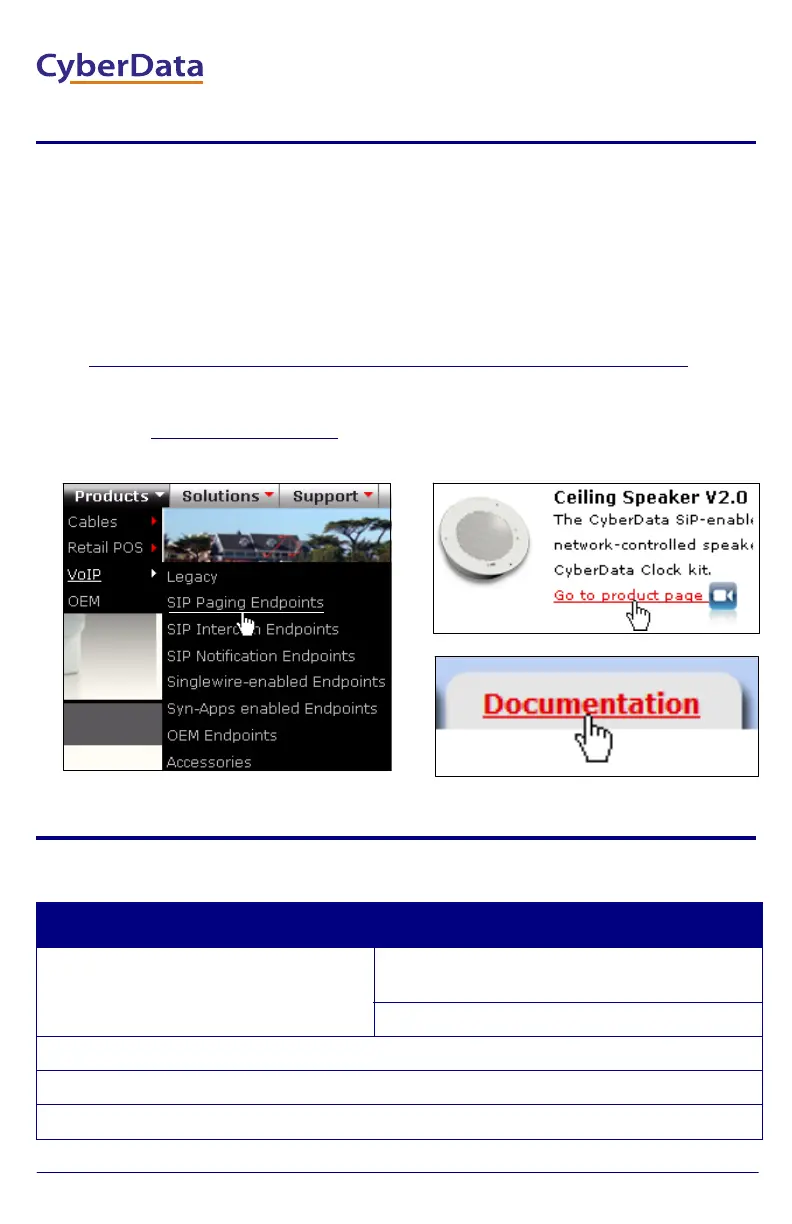
NoteYou can also navigate to the Documentation page by going to
www.CyberData.net
and following the steps that are indicated by
the following figures:
2.0 Select Power Source
PoE SwitchPoE Injector
Set PoE power type to Class 0 = 15.4WCAT6 cable recommended—
for longer distances
Be sure you are using a non-PoE switch or port
Make sure port is not in trunk mode
Set port to full duplex/ 100mbps
Spanning Tree Protocol (STP) must be disabled or Portfast enabled
2
3
1
VoIP V2 Ceiling Speaker
Quick Start Guide
Specyfikacje produktu
| Marka: | CyberData Systems |
| Kategoria: | głośnik |
| Model: | SIP-enabled IP V2 |
Potrzebujesz pomocy?
Jeśli potrzebujesz pomocy z CyberData Systems SIP-enabled IP V2, zadaj pytanie poniżej, a inni użytkownicy Ci odpowiedzą
Instrukcje głośnik CyberData Systems

2 Października 2024
2 Października 2024
2 Października 2024
2 Października 2024
28 Września 2024
28 Września 2024
28 Września 2024
28 Września 2024
28 Września 2024
28 Września 2024
Instrukcje głośnik
Najnowsze instrukcje dla głośnik
8 Kwietnia 2025
8 Kwietnia 2025
8 Kwietnia 2025
7 Kwietnia 2025
7 Kwietnia 2025
7 Kwietnia 2025
5 Kwietnia 2025
3 Kwietnia 2025
3 Kwietnia 2025
3 Kwietnia 2025