Instrukcja obsługi Digitus DC-11403
Digitus Niesklasyfikowane DC-11403
Przeczytaj poniżej 📖 instrukcję obsługi w języku polskim dla Digitus DC-11403 (4 stron) w kategorii Niesklasyfikowane. Ta instrukcja była pomocna dla 23 osób i została oceniona przez 5 użytkowników na średnio 4.4 gwiazdek
Strona 1/4
USB-KVM
SWITCH
DC-11403
DC-12402
USER MANUAL REV. 1-0
Package Contents –
DIGITUS DC-11403 or DC-12402 KVM Switch
1 User Manual
Please contact your vendor if anything is missed.
Features
Controls PCs with one USB keyboard, USB mouse and monitor
respectively
Supports USB 1.1 specification
Supports speaker & microphone
Supports Windows, Linux and Macintosh
Superior video quality - Up to 1920 x 1440 pixel, DDC, DDC2,
DDC2B, DDC2AB, 200MHz
3 ways for PC selection -- Push-button switch or hot key or
mouse clicking
Easy to install--No software required
Hot Pluggable
Specifications
Function DC-11403 DC-12402
PC Connectors 2 4
Port Selection
Push-button Switch / Hot Key
/ Mouse Clicking
LEDs
On Line 2 4
Selected 2 4
Connector
-Keyboard,
Mouse
Console Port2x USB A-Type
CPU Port 2x USB B-Type 4x USB B-Type
Connector
-Monitor
Console Port1x HD-15 Female (Std. VGA/SVGA)
CPU Port
2x HD-15 Male
(Std. VGA/SVGA)
4x HD-15 Male
(Std. VGA/SVGA)
Connector
-Audio,Mic.
(Jack)
Console Port1 x Audio, Microphone
CPU Port 2 x Audio, Mic. 4 x Audio, Mic.
VGA Resolution
Max.1920x1440 pixel,DDC, DDC2,
DDC2B, DDC2AB, 200MHz
Power Adapter DC 9V 300mA (Min.) spare
Scan Interval 5 sec ~ 30 sec
Housing Metal
Weight 460 g 650 g
Dimensions (LxWxH) 128x75x45 mm 200x75X45 mm
Hardware Requirements
Requiredspecifications
Console
One high resolution VGA, SVGA or Multisync monitor
One USB mouse
One USB keyboard
One pair of speakers.
One microphone.
PC
One VGA, SVGA or Multisync card
One USB port
One audio jack port.
One microphone port.
Cable Assmann AK 8210x and AK 8230x or similar
-1-
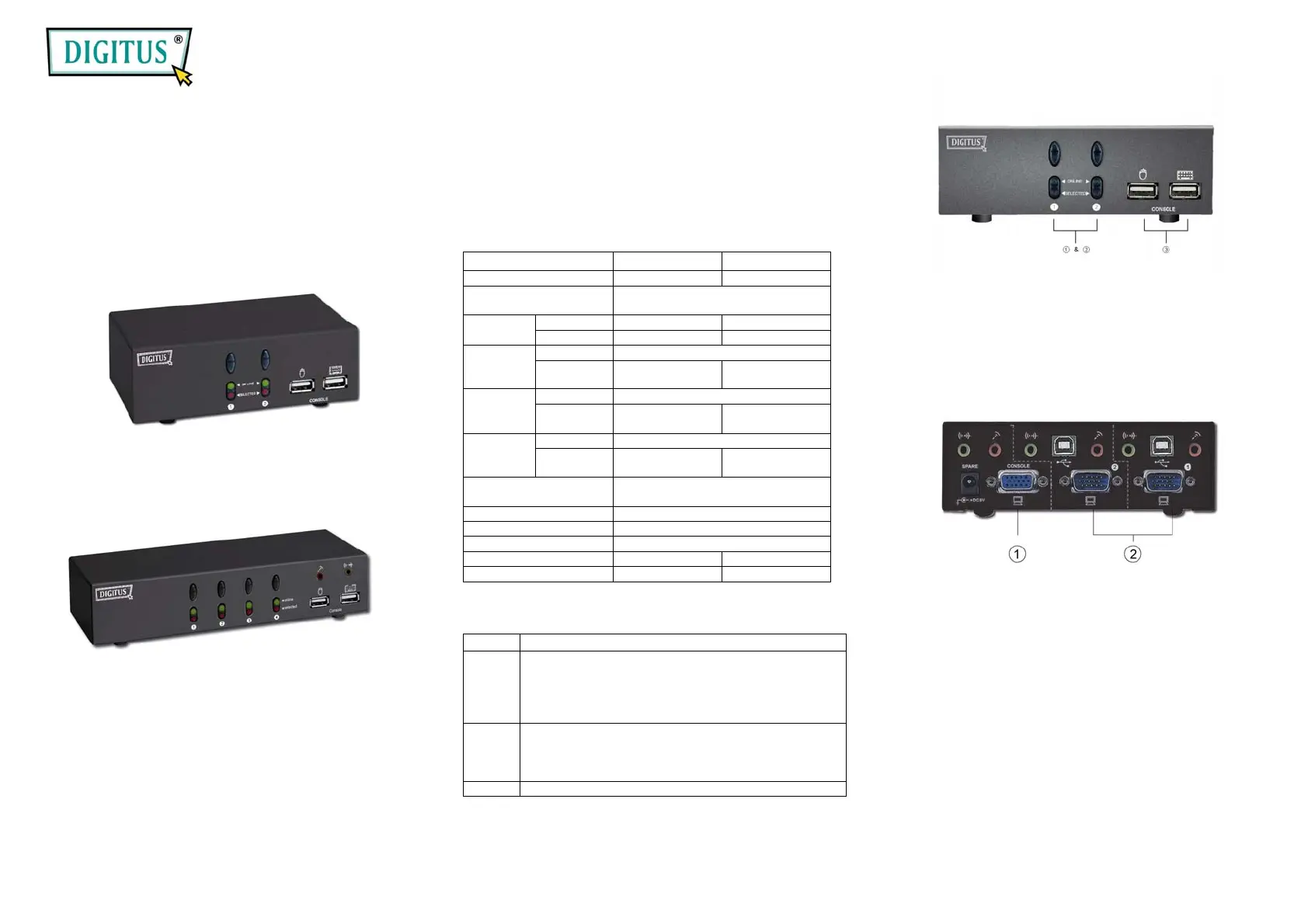
Appearance
Front View
1. Push-button Switches (Manual type)
2. Port LEDs
3. Console Keyboard and Mouse Connectors
Rear View
1. Console Monitor, Speaker and Microphone
Connectors
2. CPU Port Connectors
Installation
Before the installation, make sure the peripherals of all
PCs are grounded properly and turned off.
1. Connect the monitor, keyboard and mouse with the
Console Port Connectors.
2. Use the recommended extension cables to connect
the PCs with the CPU Ports of KVM Switch.
3. Turn on the PCs.
-2-
Specyfikacje produktu
| Marka: | Digitus |
| Kategoria: | Niesklasyfikowane |
| Model: | DC-11403 |
Potrzebujesz pomocy?
Jeśli potrzebujesz pomocy z Digitus DC-11403, zadaj pytanie poniżej, a inni użytkownicy Ci odpowiedzą
Instrukcje Niesklasyfikowane Digitus

28 Stycznia 2025
28 Stycznia 2025
10 Stycznia 2025
10 Stycznia 2025
10 Stycznia 2025
3 Stycznia 2025
1 Stycznia 2025
1 Stycznia 2025
1 Stycznia 2025
1 Stycznia 2025
Instrukcje Niesklasyfikowane
Najnowsze instrukcje dla Niesklasyfikowane
29 Stycznia 2025
29 Stycznia 2025
29 Stycznia 2025
29 Stycznia 2025
29 Stycznia 2025
29 Stycznia 2025
29 Stycznia 2025
29 Stycznia 2025
29 Stycznia 2025
29 Stycznia 2025