Instrukcja obsługi Extron DP-HDMIF/6
Przeczytaj poniżej 📖 instrukcję obsługi w języku polskim dla Extron DP-HDMIF/6 (2 stron) w kategorii Kable do komputerów PC i urządzeń peryferyjnych. Ta instrukcja była pomocna dla 23 osób i została oceniona przez 3 użytkowników na średnio 4.4 gwiazdek
Strona 1/2
This powered cable must be used directly at the DisplayPort source. It is not intended
to be used at a DisplayPort video display. Do not use additional cables or adapters
between the source output and the DP end of the cable.
The cable is unidirectional and is not intended to convert a VGA source to output a
DisplayPort signal.
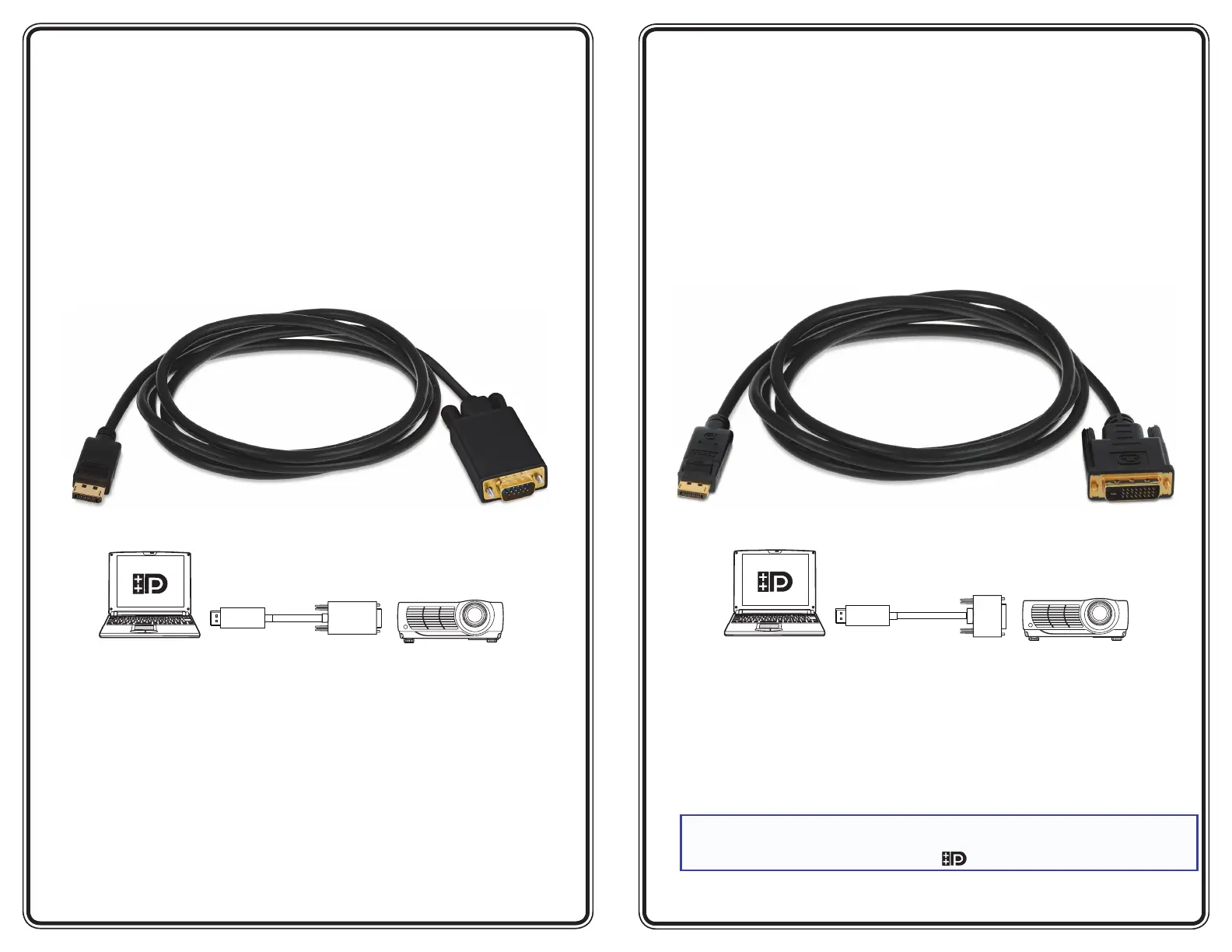
DisplayPort Male to VGA Male Cable
The Extron
®
DP-VGA/6 is a six-foot long cable with a male DP connector on one end
and a male VGA cable connector on the other end.
The DP to VGA cable offers interconnectability between DisplayPort sources and all VGA
devices. In addition, it offers the following features:
•DisplayPort 1.1 compliance
•Supports resolutions up to 1920 x 1200 at 60 Hz
•Passes EDID from a VGA display to a DP source
•Gold plating on all contact surfaces for high performance and reliability
This powered cable must be used directly at the DisplayPort source. It is not intended
to be used at a DisplayPort video display. Do not use additional cables or adapters
between the source output and the DP end of the cable.
The cable is unidirectional and is not intended to convert a DVI source to output a
DisplayPort signal.
NOTE:In order for this adapter to operate in the system, the DisplayPort source
(laptop or desktop PC) must be a dual mode DisplayPort device. Dual mode
DisplayPort devices are marked with the
logo.
DisplayPort Male to DVI Male Cable
The Extron
®
DP-DVID/6 is a six-foot long cable with a male DP connector on one end
and a male DVI cable connector on the other end.
The DP to DVI cable offers interconnectability between DisplayPort sources and all DVI
devices. In addition, it offers the following features:
•DisplayPort 1.1 compliance
•High-bandwidth Digital Content Protection (HDCP) compliance
•Supports resolutions up to 1920 x 1200 at 60 Hz
•Passes EDID from a DVI display to a DP source
•Gold plating on all contact surfaces for high performance and reliability
6'DPtoHDMIF Cable
Projector w/HDMIInput
Sink
Source
Laptopwith
DisplayPort Output
HDMIM-M
Adapter
6'DPto DVI Cable
Projector w/DVI Input
Sink
Source
Laptopwith
DisplayPort Output
6'DPto VGA Cable
Projector w/VGA Input
Sink
Source
Laptopwith
DisplayPort Output
6'DPtoHDMIF Cable
Projector w/HDMIInput
Sink
Source
Laptopwith
DisplayPort Output
HDMIM-M
Adapter
6'DPto DVI Cable
Projector w/DVI Input
Sink
Source
Laptopwith
DisplayPort Output
6'DPto VGA Cable
Projector w/VGA Input
Sink
Source
Laptopwith
DisplayPort Output
26-682-06
DP-VGA/6
26-681-06
DP-DVID/6
Specyfikacje produktu
| Marka: | Extron |
| Kategoria: | Kable do komputerów PC i urządzeń peryferyjnych |
| Model: | DP-HDMIF/6 |
Potrzebujesz pomocy?
Jeśli potrzebujesz pomocy z Extron DP-HDMIF/6, zadaj pytanie poniżej, a inni użytkownicy Ci odpowiedzą
Instrukcje Kable do komputerów PC i urządzeń peryferyjnych Extron

9 Października 2024
9 Października 2024
9 Października 2024
8 Października 2024
8 Października 2024
8 Października 2024
8 Października 2024
8 Października 2024
8 Października 2024
8 Października 2024
Instrukcje Kable do komputerów PC i urządzeń peryferyjnych
Najnowsze instrukcje dla Kable do komputerów PC i urządzeń peryferyjnych
29 Stycznia 2025
12 Stycznia 2025
10 Stycznia 2025
4 Stycznia 2025
2 Stycznia 2025
2 Stycznia 2025
2 Stycznia 2025
2 Stycznia 2025
1 Stycznia 2025
30 Grudnia 2025