Instrukcja obsługi Furuno TZTBB
Furuno Niesklasyfikowane TZTBB
Przeczytaj poniżej 📖 instrukcję obsługi w języku polskim dla Furuno TZTBB (16 stron) w kategorii Niesklasyfikowane. Ta instrukcja była pomocna dla 15 osób i została oceniona przez 9 użytkowników na średnio 4.3 gwiazdek
Strona 1/16
www.furuno.com
This guide provides the basic operating procedures for this equipment. For detailed information,
see the Operator's Manual.
The brand and product names mentioned in this guide are trademarks, registered trademarks or
service marks of their respective holders.
Most of the screenshots in this manual are for TZT9/TZT14.
Controls.................................................................................................................................... 1
Chart Plotter..............................................................................................................................3
Radar ........................................................................................................................................6
AIS (Automatic Identification System)....................................................................................10
Fish Finder..............................................................................................................................11
Wireless LAN Setting..............................................................................................................14
MULTI FUNCTION DISPLAY
TZT9/TZT14/TZTBB
User's Handbook
Table of Contents
Key control
Key control
Key control
Key control
Key control
Controls
TZT9/TZT14TZT9/TZT14
TZTBB
(Switch box)
TZTBB
(Switch box)
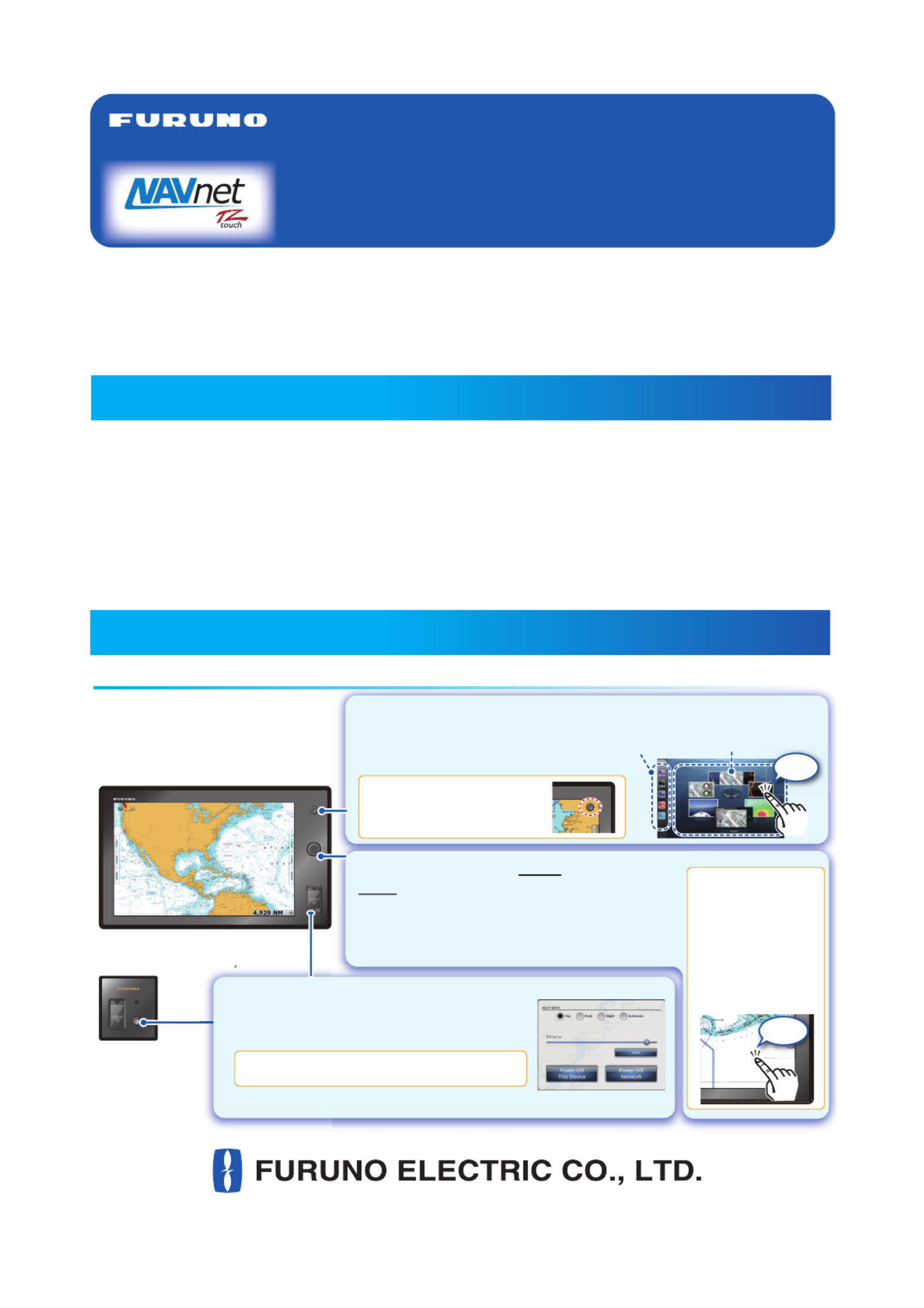
Home key
- Opens the display selection window.
- Displays the menu icon bar.
Displayed on the screen
as an icon.
For TZTBB:
For TZTBB:
For TZTBB:
For TZTBB:
For TZTBB:
For TZTBB:
For TZTBB:
For TZTBB:
For TZTBB:
For TZTBB:
For TZTBB:
For TZTBB:
For TZTBB:For TZTBB:
))
RotoKeyTM
Push:
Opens the RotoKey
menu or validates the
selected item.
Rotate:
- Selects an item on the
RotoKey menu.
- Selects the range scale
on the chart plotter or
the radar screen.
Tap the screen to
display the RotoKey
menu. If the menu
you are looking for
is not shown, select
[More...] (then drag
the menu items)
then tap it to select.
For TZTBB:
For TZTBB:
For TZTBB:
For TZTBB:
For TZTBB:
For TZTBB:
For TZTBB:
For TZTBB:
For TZTBB:
For TZTBB:
For TZTBB:
For TZTBB:
For TZTBB:For TZTBB:
- Turns the power off. (Device or Network)
Adjusts the brilliance of the power indicator.
For TZTBB:
For TZTBB:
For TZTBB:
For TZTBB:
For TZTBB:
For TZTBB:
For TZTBB:
For TZTBB:
For TZTBB:
For TZTBB:
For TZTBB:
For TZTBB:
For TZTBB:For TZTBB:
1
111
11111
1
1111
A 1
1
A
A
A
11
1
1
1
1
1
A 1
A
RADAR
AD
AD
A
A
A
A
AA
T
AT
AAA
AAA
AA
DA
D
Tap
Powerkey
- Turns the power on.
- Adjusts the brilliance of the display.
Display selection
window
Tap
Menu
icon bar
Specyfikacje produktu
| Marka: | Furuno |
| Kategoria: | Niesklasyfikowane |
| Model: | TZTBB |
Potrzebujesz pomocy?
Jeśli potrzebujesz pomocy z Furuno TZTBB, zadaj pytanie poniżej, a inni użytkownicy Ci odpowiedzą
Instrukcje Niesklasyfikowane Furuno

12 Stycznia 2025
22 Września 2024
21 Września 2024
16 Września 2024
15 Września 2024
15 Września 2024
15 Września 2024
15 Września 2024
14 Września 2024
14 Września 2024
Instrukcje Niesklasyfikowane
Najnowsze instrukcje dla Niesklasyfikowane
29 Stycznia 2025
29 Stycznia 2025
29 Stycznia 2025
29 Stycznia 2025
29 Stycznia 2025
29 Stycznia 2025
29 Stycznia 2025
29 Stycznia 2025
29 Stycznia 2025
29 Stycznia 2025