Instrukcja obsługi AXESS AXTC-LN31
AXESS
Niesklasyfikowane
AXTC-LN31
Przeczytaj poniżej 📖 instrukcję obsługi w języku polskim dla AXESS AXTC-LN31 (4 stron) w kategorii Niesklasyfikowane. Ta instrukcja była pomocna dla 20 osób i została oceniona przez 10.5 użytkowników na średnio 4.9 gwiazdek
Strona 1/4
AXTC-LN31
I N S T A L L A T I O N I N S T R U C T I O N S
AxxessInterfaces.com © COPYRIGHT 2023 METRA ELECTRONICS CORPORATION REV. 3/20/23 INSTAXTC-LN31
Visit for more detailed information AxxessInterfaces.com
about the product and up-to-date vehicle specific applications
ATTENTION:
With the key out of the ignition,
disconnect the negative battery terminal before
installing this product. Ensure that all installation
connections, especially the air bag indicator lights, are
plugged in before reconnecting the battery or cycling
the ignition to test this product.
NOTE:
Refer also to the instructions included with the
aftermarket accessory before installing this device.
INTERFACE FEATURES
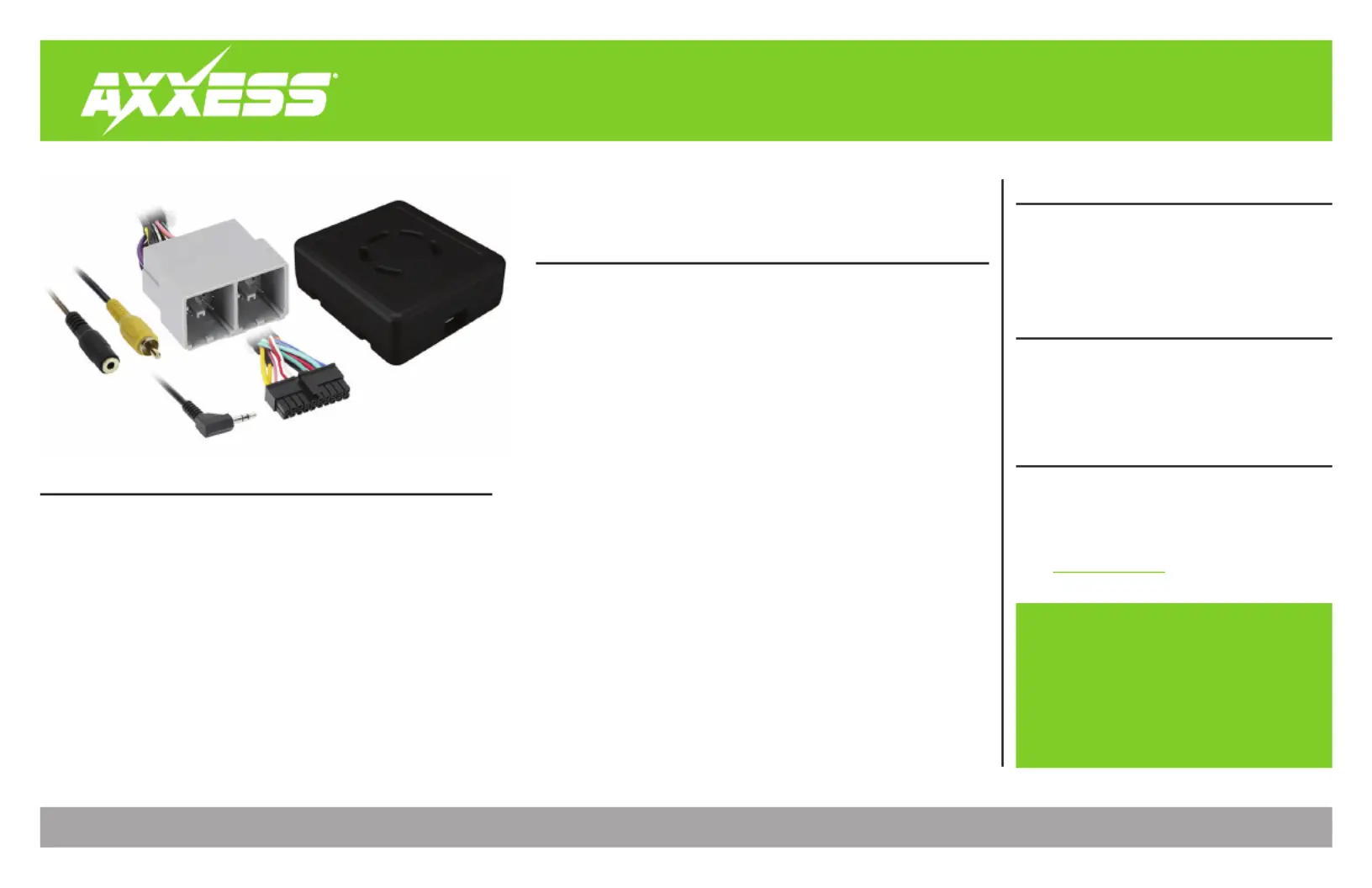
INTERFACE COMPONENTS
TOOLS & INSTALLATION ACCESSORIES REQUIRED
• Crimping tool and connectors, or solder gun,
solder, and heat shrink • Tape • Wire cutter
• Zip ties
TABLE OF CONTENTS
Connections 2 ............................................................
Programming 3 .........................................................
Troubleshooting.....................................................4
GM Data Interface with SWC 2019-Up
APPLICATIONS
• Provides retained accessory
power (10-amp)
• Provides illumination, parking
brake, reverse, and speed
sense outputs
• Retains warning chimes
through an onboard speaker
• Retains the factory backup
camera
• Retains audio controls on the
steering wheel
• Designed to be compatible
with all major radio brands
• Auto detects vehicle type, radio
connection, and preset controls
• Ability to dual assign steering
wheel control buttons
• Retains memory settings even
after battery disconnection or
interface removal (non volatile
memory)
• Designed for non-amplified
models, or when bypassing a
factory amplifier
• Retains balance and fade
• Micro-B USB updatable
Chevrolet
Camaro ** 2019-Up(1) ................
Cheyenne ** 2019-2021(2) .........
Colorado 2019-Up(1) ..................
Cruze 2019 ....................................
Equinox ** 2019-Up(1) ...............
Malibu ** 2019-Up(1) ..................
Chevrolet (Cont)
Silverado ** 2019-2021(1) ..........
Sonic...............................2019-Up
Spark 2019-Up ..............................
GMC
Canyon 2019-Up(1) .....................
Sierra 1500 **........2019-2021(1)
Terrain ** 2019-Up(1) .................
• AXTC-LN31 interface
• AXTC-LN31 harness
• 3.5mm adapter
(1) IOR code radio †
** For extension, use AXEXH-GM31
† The radio code can be found in the Service Parts Identification Label located:
Glove box – Equinox/Terrain
QR only (see note) - Camaro/Canyon/Colorado/Malibu/Sierra/Silverado
Note: Newer model GM vehicles are transitioning to a QR style label. If the Ser-
vice Parts Identification Label is not located where listed, reference the Vehicle
Certification Label on the inside of the driver’s door opening for the QR code.
Specyfikacje produktu
| Marka: | AXESS |
| Kategoria: | Niesklasyfikowane |
| Model: | AXTC-LN31 |
Potrzebujesz pomocy?
Jeśli potrzebujesz pomocy z AXESS AXTC-LN31, zadaj pytanie poniżej, a inni użytkownicy Ci odpowiedzą
Instrukcje Niesklasyfikowane AXESS

28 Stycznia 2025

28 Stycznia 2025

10 Stycznia 2025

28 Grudnia 2024

28 Grudnia 2024

27 Grudnia 2024

27 Grudnia 2024

9 Października 2024

8 Października 2024

8 Października 2024
Instrukcje Niesklasyfikowane
Najnowsze instrukcje dla Niesklasyfikowane

29 Stycznia 2025

29 Stycznia 2025

29 Stycznia 2025

29 Stycznia 2025

29 Stycznia 2025

29 Stycznia 2025

29 Stycznia 2025

29 Stycznia 2025

29 Stycznia 2025

29 Stycznia 2025