Instrukcja obsługi Conceptronic EMRICK09G
Conceptronic Niesklasyfikowane EMRICK09G
Przeczytaj poniżej 📖 instrukcję obsługi w języku polskim dla Conceptronic EMRICK09G (2 stron) w kategorii Niesklasyfikowane. Ta instrukcja była pomocna dla 16 osób i została oceniona przez 3 użytkowników na średnio 5.0 gwiazdek
Strona 1/2
1
5/4/24
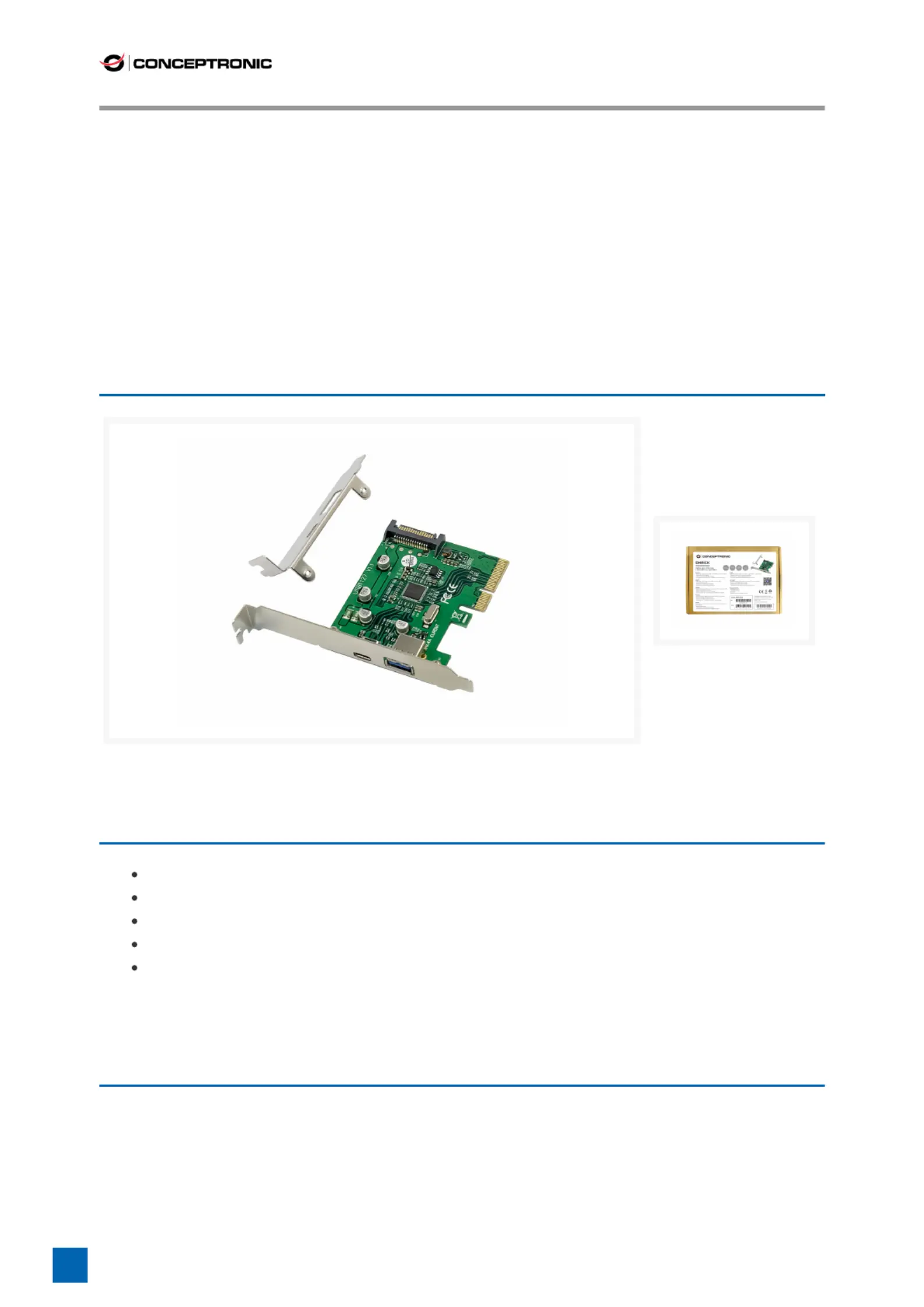
EMRICK09G 2-Port USB 3.2
Gen 2 PCIe Card, USB-C x 1,
USB-A x 1
Product Images
Short Description
Add 2 USB ports (1x USB-C, 1x USB-A) to your desktop computer
USB 3.2 Gen 2 super speed (10Gbps)
Supports hot-swapping
Supports UASP
Power input interface: 15-pin SATA connector
Description
This PCI Express Card allows you to easily add 2 extra SuperSpeed USB 3.2 Gen 2 ports to
your desktop computer. It has a maximum data speed of 10Gbs, which makes it very fast
and capable of copying large les or documents to and from your desktop computer.
Simply place the USB 3.2 Gen 2 PCI Express Card in the Express Card slot of your
computer, install the included drivers and you are right to go!
Specyfikacje produktu
| Marka: | Conceptronic |
| Kategoria: | Niesklasyfikowane |
| Model: | EMRICK09G |
Potrzebujesz pomocy?
Jeśli potrzebujesz pomocy z Conceptronic EMRICK09G, zadaj pytanie poniżej, a inni użytkownicy Ci odpowiedzą
Instrukcje Niesklasyfikowane Conceptronic

8 Października 2024
8 Października 2024
8 Października 2024
8 Października 2024
8 Października 2024
4 Października 2024
4 Października 2024
3 Października 2024
3 Października 2024
3 Października 2024
Instrukcje Niesklasyfikowane
Najnowsze instrukcje dla Niesklasyfikowane
29 Stycznia 2025
29 Stycznia 2025
29 Stycznia 2025
29 Stycznia 2025
29 Stycznia 2025
29 Stycznia 2025
29 Stycznia 2025
29 Stycznia 2025
29 Stycznia 2025
29 Stycznia 2025