Instrukcja obsługi StarTech.com PCI1PEX1
StarTech.com Niesklasyfikowane PCI1PEX1
Przeczytaj poniżej 📖 instrukcję obsługi w języku polskim dla StarTech.com PCI1PEX1 (2 stron) w kategorii Niesklasyfikowane. Ta instrukcja była pomocna dla 12 osób i została oceniona przez 8 użytkowników na średnio 4.1 gwiazdek
Strona 1/2
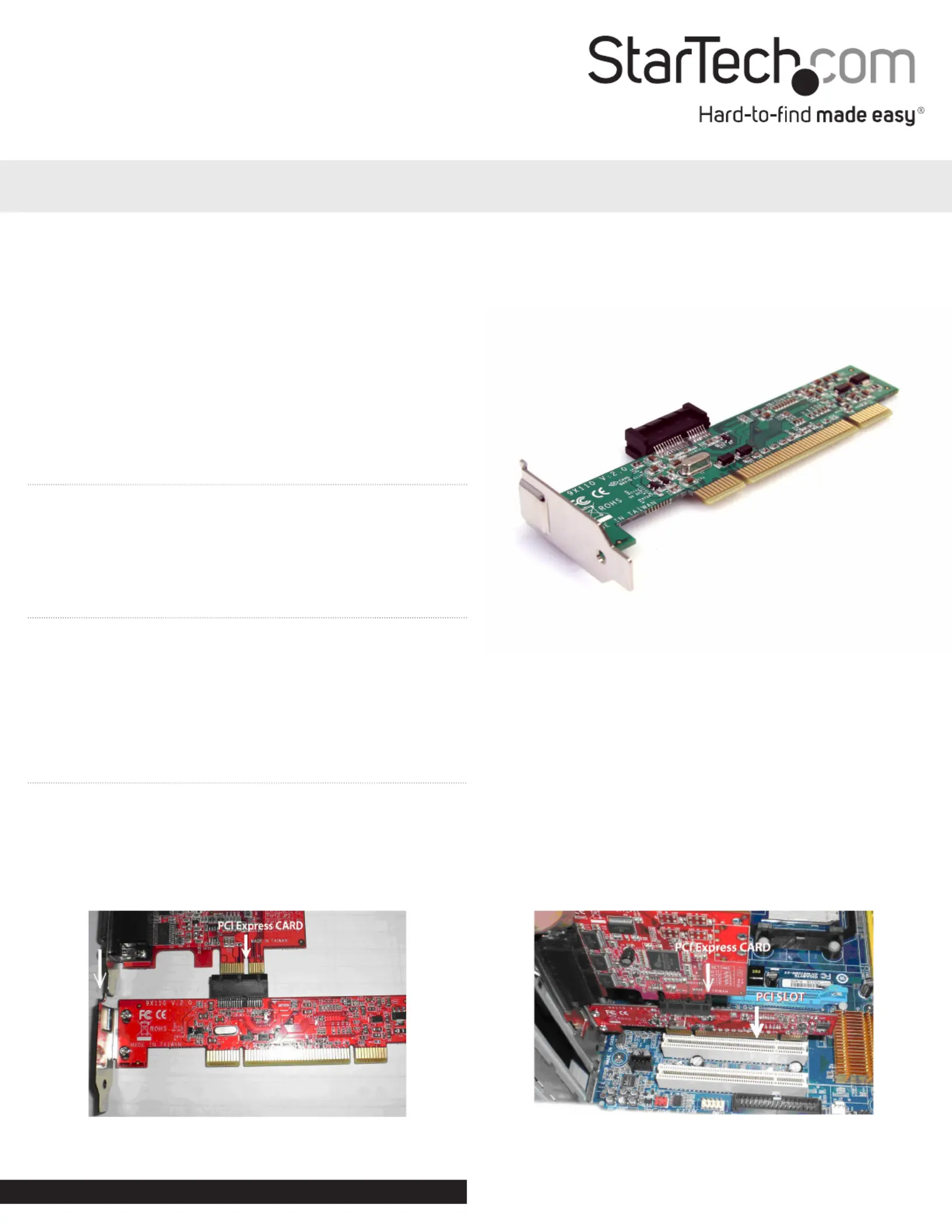
PCI to PCI Express Adapter Card
PCI1PEX1
DE: Bedienungsanleitung - de.startech.com
FR: Guide de l’utilisateur - fr.startech.com
ES: Guía del usuario - es.startech.com
IT: Guida per l’uso - it.startech.com
NL: Gebruiksaanwijzing - nl.startech.com
PT: Guia do usuário - pt.startech.com
Packaging Contents
•1 x PCI to PCI Express adapter card
•1 x Spare Standard PCIe bracket
•1 x Instruction Manual
System Requirements
•PCI enabled computer system with available full height slot
•Microsoft® Windows® 2000/ XP/ Vista/ 7, or Linux®
Installation
Note: If the spare PCIe bracket is used, the bracket on the PCI
Express card must be removed. Full prole PCI Express cards may
not t in the system.
1. Insert the low prole PCIe card into the PCIe slot connector on
the top of the adapter card.
2. Install the adapter card into a PCI slot on the motherboard and
secure the bracket to the computer case.
3. Power on the computer and load the operating system.
Instruction Manual
*actual product may vary from photos
Manual Revision: 01/27/2012
For the most up-to-date information, please visit: www.startech.com
Specyfikacje produktu
| Marka: | StarTech.com |
| Kategoria: | Niesklasyfikowane |
| Model: | PCI1PEX1 |
Potrzebujesz pomocy?
Jeśli potrzebujesz pomocy z StarTech.com PCI1PEX1, zadaj pytanie poniżej, a inni użytkownicy Ci odpowiedzą
Instrukcje Niesklasyfikowane StarTech.com

9 Stycznia 2025
9 Stycznia 2025
9 Stycznia 2025
9 Stycznia 2025
9 Stycznia 2025
8 Stycznia 2025
8 Stycznia 2025
8 Stycznia 2025
8 Stycznia 2025
8 Stycznia 2025
Instrukcje Niesklasyfikowane
Najnowsze instrukcje dla Niesklasyfikowane
29 Stycznia 2025
29 Stycznia 2025
29 Stycznia 2025
29 Stycznia 2025
29 Stycznia 2025
29 Stycznia 2025
29 Stycznia 2025
29 Stycznia 2025
29 Stycznia 2025
29 Stycznia 2025