Instrukcja obsługi StarTech.com RKPNLTL2UV
StarTech.com Niesklasyfikowane RKPNLTL2UV
Przeczytaj poniżej 📖 instrukcję obsługi w języku polskim dla StarTech.com RKPNLTL2UV (2 stron) w kategorii Niesklasyfikowane. Ta instrukcja była pomocna dla 15 osób i została oceniona przez 5 użytkowników na średnio 4.0 gwiazdek
Strona 1/2
Instruction Manual
DE: Bedienungsanleitung - de.startech.com
FR: Guide de l'utilisateur - fr.startech.com
ES: Guía del usuario - es.startech.com
IT: Guida per l'uso - it.startech.com
NL: Gebruiksaanwijzing - nl.startech.com
PT: Guia do usuário - pt.startech.com
Manual Revision: 04/23/2015
For the most up-to-date information, please visit: www.startech.com
Packaging Contents
• 1 x 1U Tool-Less Rack Blanking Panel (RKPNLTL1UV)
• 1 x 2U Tool-Less Rack Blanking Panel (RKPNLTL2UV)
Installation
1. Insert the Blanking Panel into the desired 1U or 2U space in the
rack.
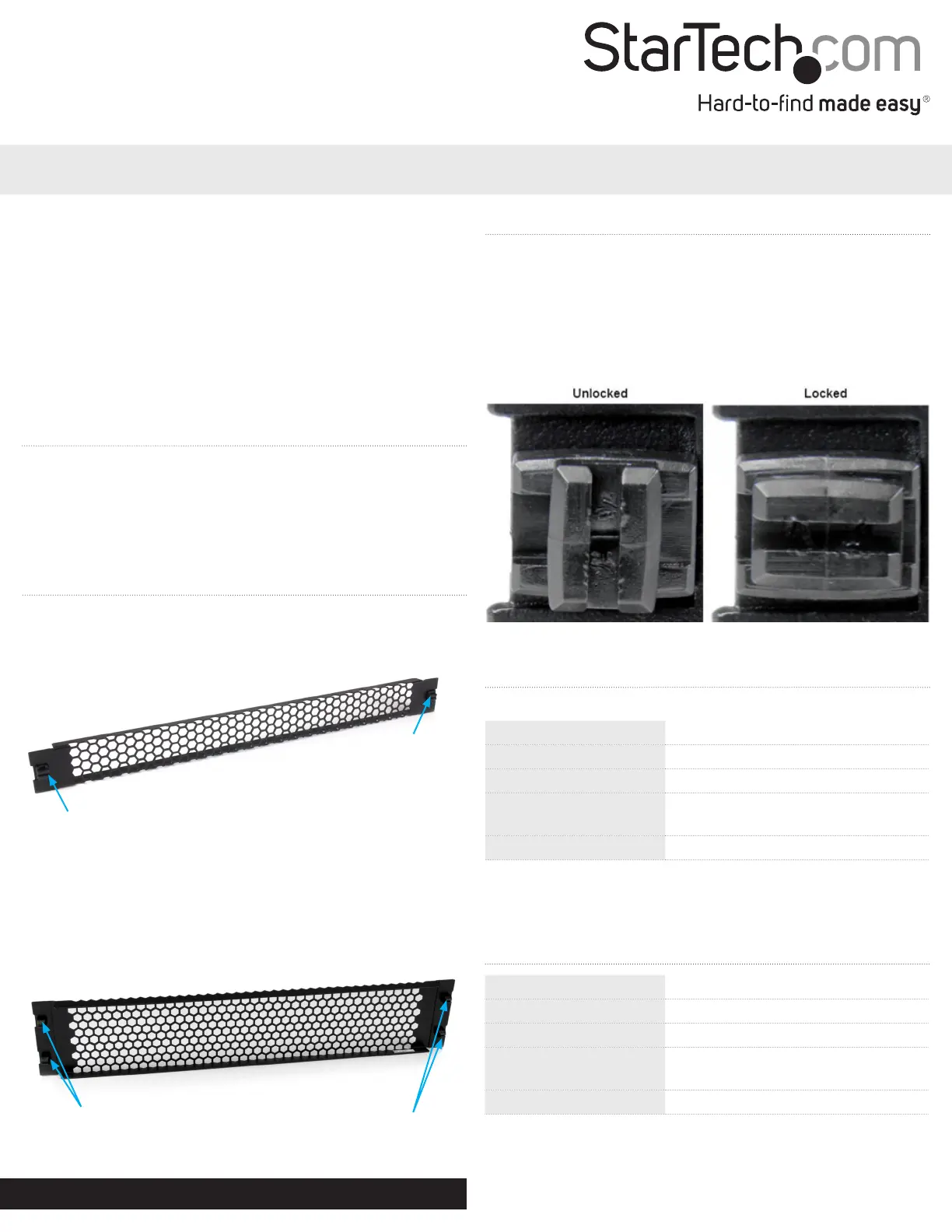
2. Rotate the Latching Pins a quarter-turn clockwise to lock the
panel in place.
Note: The notch in the Latching Pins will be horizontal when
locked.
RKPNLTL1UV
RKPNLTL2UV
Tool-Less Vented Server Rack Blanking Panel
*actual product may vary from photos
Product Overview
Latching Pins
Latching Pins
Specications
U Height2U
Frame TypeSteel
Mounting OptionsFront Mount
External Dimensions
(WxDxH)
18.98 x 0.62 x 3.47 in
(482 x 15.7 x 88.1 mm)
Product Weight0.62 lb (280 g)
RKPNLTL1UV
Latching Pin
Latching Pin
RKPNLTL2UV
Specications
RKPNLTL1UV
U Height1U
Frame TypeSteel
Mounting OptionsFront Mount
External Dimensions
(WxDxH)
18.98 x 1.72 x 0.79 in
(482 x 43.7 x 20 mm)
Product Weight0.40 lb (180 g)
Specyfikacje produktu
| Marka: | StarTech.com |
| Kategoria: | Niesklasyfikowane |
| Model: | RKPNLTL2UV |
Potrzebujesz pomocy?
Jeśli potrzebujesz pomocy z StarTech.com RKPNLTL2UV, zadaj pytanie poniżej, a inni użytkownicy Ci odpowiedzą
Instrukcje Niesklasyfikowane StarTech.com

9 Stycznia 2025
9 Stycznia 2025
9 Stycznia 2025
9 Stycznia 2025
9 Stycznia 2025
8 Stycznia 2025
8 Stycznia 2025
8 Stycznia 2025
8 Stycznia 2025
8 Stycznia 2025
Instrukcje Niesklasyfikowane
Najnowsze instrukcje dla Niesklasyfikowane
29 Stycznia 2025
29 Stycznia 2025
29 Stycznia 2025
29 Stycznia 2025
29 Stycznia 2025
29 Stycznia 2025
29 Stycznia 2025
29 Stycznia 2025
29 Stycznia 2025
29 Stycznia 2025